
So, you want to create product videos that actually get results? It all comes down to a simple, incredibly powerful formula. The best clips grab a viewer’s attention in three seconds flat, highlight a problem they actually have, and then position your product as the only logical solution.
It’s less about Hollywood-level production and more about smart, authentic storytelling that feels right at home on platforms like TikTok and Instagram Reels.
The Framework for Videos That Actually Sell
Before you even think about hitting record, let's get one thing straight: the secret to a great product video isn’t fancy equipment. It's having a clear strategy. I've seen countless brands blow their budgets on slick production only to forget the simple narrative that actually convinces someone to buy.
What you need is a repeatable framework that turns any simple clip into a potential sales driver.
This process starts way before the camera comes out. It begins with a deep dive into who you're actually talking to. If you don't intimately understand their frustrations and what they want, your message will just be noise. We've put together a detailed guide on how to identify your target audience that can walk you through this crucial first step. Once you nail this, everything else in the creative process just clicks into place.
To give you a bird's-eye view, here's how the entire workflow breaks down.
Product Video Creation Workflow at a Glance
This table maps out the five essential stages of creating a high-performing product video. Following this process ensures you cover all your bases, from initial idea to final post.
| Stage | Key Objective | Essential Tasks |
|---|---|---|
| 1. Ideation | Generate relevant and trending video concepts. | Research trends, analyze competitors, brainstorm hooks. |
| 2. Pre-Production | Plan every detail before filming. | Write the script, create a shot list, gather props. |
| 3. Production | Capture high-quality footage efficiently. | Set up lighting/audio, film all required shots (b-roll!). |
| 4. Post-Production | Assemble the video into a compelling story. | Edit clips, add text/captions, select trending audio. |
| 5. Publishing | Maximize reach and engagement. | Write a strong caption, add relevant hashtags, schedule post. |
This structured approach takes the guesswork out of the process, making it easier to create consistently great content.
The Core Video Strategy: Hook, Problem, Solution
The most viral short-form videos almost always follow a proven, three-part structure. It’s simple, effective, and works every single time.
- The Hook: You have one to three seconds. That's it. Your only job here is to stop the scroll. Do it with a bold claim, a weirdly satisfying visual, or a question that hits on a common pain point.
- The Problem: Right after you've hooked them, you need to agitate the problem. Don't just tell them about it—show them. Show the frustration, the annoyance, the "there has to be a better way" moment they experience every day.
- The Solution: Now, bring in your product as the hero. This isn't the time to list off a bunch of boring features. Instead, demonstrate the transformation. Show the "after" and the relief your product provides.
This simple flow is the backbone of videos that don't just get views, but also drive action.
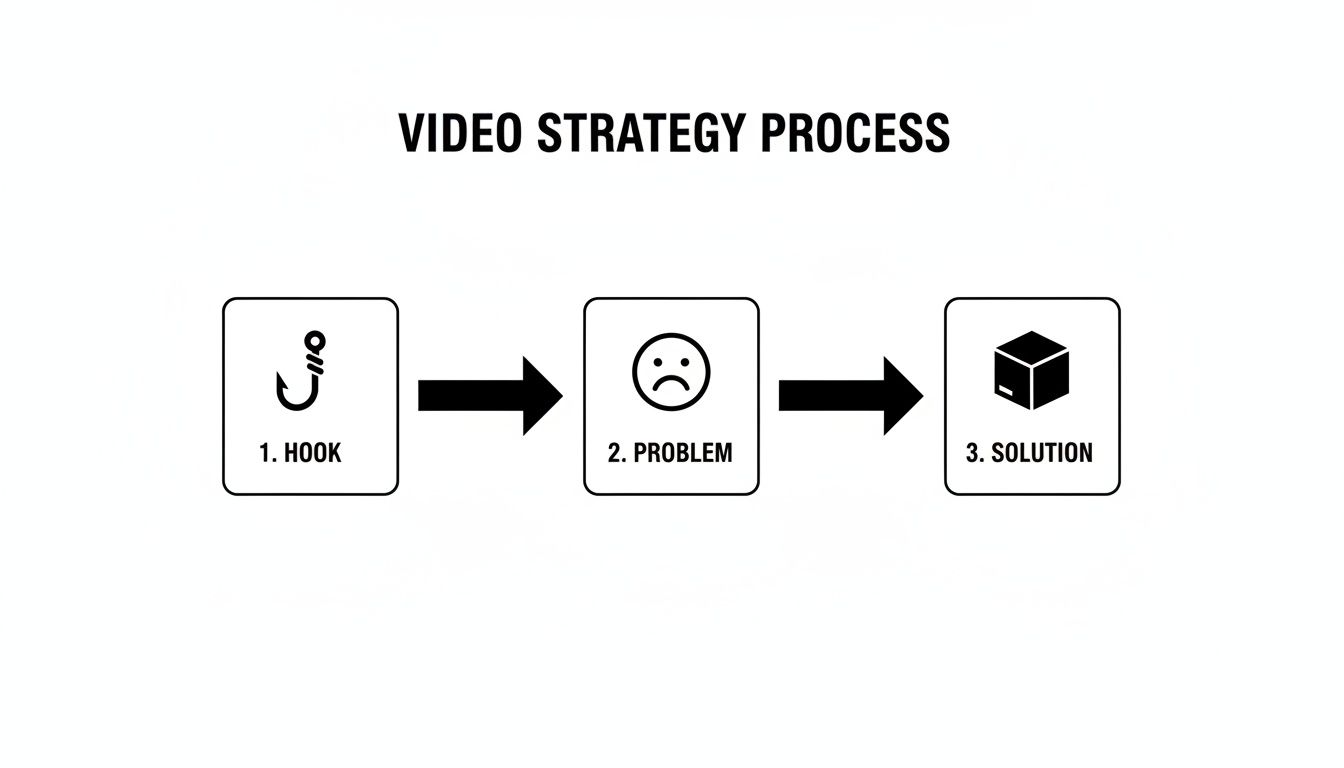
Think of this as your visual roadmap. Every successful product video is a mini-story with a clear beginning (the hook), a conflict (the problem), and a resolution (your product).
A video's success isn't measured by its budget, but by its structure. A clear hook, a relatable problem, and a satisfying solution will outperform a polished, expensive video with no real story—every single time.
There’s a reason short-form product videos are taking over. Video is on track to account for 82% of all internet traffic, and most marketers are seeing the best results with clips under 60 seconds. For brands, this is a massive opportunity. We're seeing product demos in these bite-sized formats boost conversions by over 30% when paired with shoppable features. The numbers don't lie.
Finding and Scripting an Idea That Stops the Scroll

A video that goes viral never starts with a camera. It starts with a killer idea—one that connects with a real person on the other side of the screen. Before you even think about hitting record, you need a concept that’s built for the scroll. Forget sterile feature lists or basic unboxing clips. We’re talking about tapping into real pain points, latching onto trends, and finding an angle for your product that feels completely genuine.
The first step is simply to observe. You need to spend time on TikTok and Reels, but not just as a viewer—you need to be a researcher. What sounds are popping off in your niche? What video formats are people actually engaging with? Look for the patterns in how other brands are successfully positioning their products as the solution to a common problem.
This kind of hands-on research is essential, but let's be honest, it can also be a massive time-suck. That’s where a few smart tools can give you a serious edge.
Using AI to Find Your Next Viral Idea
We’ve all been there. Staring at your phone, trying to come up with a fresh idea when you're on a tight schedule. Instead of getting lost in the scroll, you can use an AI-powered idea generator like Viral.new to get daily, trend-aligned prompts built specifically for your brand.
You just plug in a description of your business or product, and it digs into what’s currently working on TikTok to give you concepts you can shoot today. It’s a great way to skip the guesswork and jump straight to making something great.
As you can see, Viral.new gives you clear, actionable prompts that even include trending audio suggestions and scene-by-scene breakdowns. This approach helps ensure your videos are relevant right now, which dramatically increases their odds of getting picked up by the algorithm and connecting with your audience.
And this effort pays off in a big way. Creating product videos isn't just about brand awareness; it's a proven revenue machine. In fact, an incredible 84% of consumers report buying a product after watching a marketing video. On the flip side, 93% of marketers agree that video deepens a user's understanding of their product. It's no wonder that product videos consistently rank as a top-tier ROI driver. You can find more stats on the power of video marketing in Wix's detailed analysis.
The Anatomy of a Winning Video Script
Once you've got a solid idea, it's time to script it out. Now, a "script" doesn't have to be some formal, multi-page document. It can be a simple outline in your notes app. The goal is just to make sure your video is tight, impactful, and clearly guides the viewer to do something next.
Every great short-form video script really boils down to four key parts:
- The 3-Second Hook: This is non-negotiable. It’s the one visual or line that stops someone mid-scroll and earns you a few more seconds of their time.
- The Problem-Solution Arc: Quickly introduce a relatable problem, then immediately present your product as the hero that solves it.
- The Value Demonstration: Don't just list features. Show the transformation. How does your product make someone's life easier, better, or just more fun?
- The Clear Call-to-Action (CTA): Tell your viewers exactly what to do next. Whether it's "Shop the link in bio" or "Comment your favorite feature," don't leave them hanging.
Your script is a roadmap for holding attention. If you lose the viewer in the first three seconds, the rest of the video is pointless. Nail your hook before you write another word.
Crafting Hooks That Actually Work
A good hook does one of two things: it sparks intense curiosity or it validates a frustration your viewer is already feeling. It needs to be direct, personal, and promise some kind of immediate value. The difference between a hook that lands and one that gets scrolled past is subtle but absolutely crucial.
Let's look at a few examples to see what I mean.
| Generic Hook | Powerful Hook |
|---|---|
| "Check out our new moisturizer." | "Your dry skin is a thing of the past with this one product." |
| "Your makeup routine is missing this." | "The one gadget that finally organized my chaotic kitchen." |
| "This is the best blender." | "I can’t believe I used to make smoothies without this." |
See the difference? The powerful hooks zero in on a specific problem or an emotional payoff. They make a bold claim and create an information gap that the viewer feels an almost physical need to fill by watching the rest of your video. Mastering the hook is the single most important skill you can develop. It’s the gateway to everything else.
Shooting High-Quality Videos With Your Smartphone
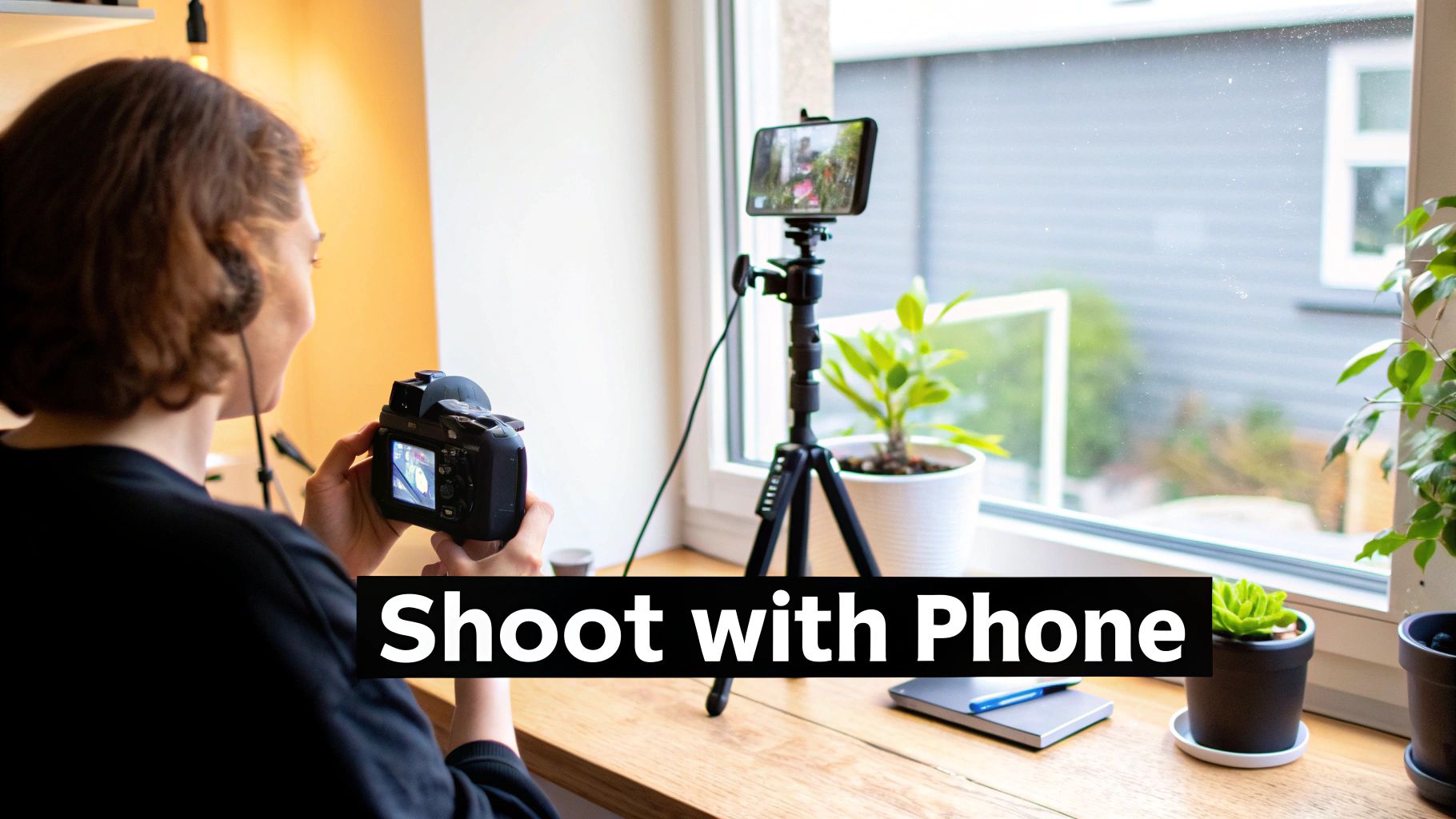
Let's get one thing straight: you do not need a Hollywood-level budget to create product videos that look amazing. The camera sitting in your pocket right now is incredibly powerful. With a few simple techniques, you can produce polished, professional-looking content that actually stops the scroll.
Success here isn't about having the fanciest gear; it’s about being smart and resourceful.
Before you even think about hitting that record button, your shot list will be your best friend. Seriously. A quick checklist of the clips you need—a wide shot to set the scene, a close-up on a key feature, a shot of the product in use—can save you hours of pain during the edit. It’s the difference between a smooth, efficient shoot and a chaotic mess.
Mastering Your Lighting and Audio
Great lighting is completely non-negotiable, but it doesn't have to be complicated. Your best (and cheapest) light source is a big window. Just position your product so it's facing the natural light, letting it wash over everything softly. Try to avoid harsh, direct sunlight, though, as that creates some really unflattering shadows.
If you’re stuck shooting at night or the weather isn't cooperating, a small LED panel or a ring light is a game-changer. These give you consistent, controllable light that makes your product pop and keeps the colors looking true to life.
Just as critical is your audio. People will forgive slightly grainy video, but they will absolutely bail on a video with terrible sound. The built-in mic on your phone is decent in a quiet room, but it’s notorious for picking up every bit of echo and background noise.
The single best investment you can make to instantly level up your videos is a $20 lavalier microphone. Crisp, clear audio makes your content feel premium and keeps people locked in.
Building Your Set and Composing Your Shot
Your shooting environment is more than just a background; it sets the entire mood. You don’t need a dedicated studio—a clean corner of a room works just fine. The goal is to create a backdrop that’s simple, on-brand, and keeps the focus where it belongs: on your product.
First, declutter the space. A messy background is a distracting background. A plain wall, a piece of poster board, or even a textured blanket can create a clean canvas to work with.
From there, you can bring in a few props to help tell the story. These shouldn’t be random objects. They need to add context and vibe.
- Selling a skincare product? Think a small plant, a clean white towel, and maybe a bowl of water to evoke freshness and natural ingredients.
- Featuring a kitchen gadget? Surround it with the fresh ingredients it's designed for, like chopped veggies or bright fruits.
- Showcasing a tech accessory? Place it on a minimalist desk with a sleek keyboard and a cup of coffee for a productive, modern feel.
Now, think about your composition. A simple trick is to use the rule of thirds. Just imagine a 3x3 grid over your screen and place your product on one of the lines or intersections. This instantly creates a more dynamic and visually pleasing shot than just sticking it dead center.
Finally, stabilize your phone. Shaky footage just screams "amateur." A small, inexpensive tripod is your best bet, but if you're in a pinch, propping your phone against a stack of books or a mug works too. A steady, clean shot lets your product be the star, and with these fundamentals covered, you’re ready to shoot great content without breaking the bank.
5. Editing: Where Your Video Comes to Life
Okay, you've got all your raw clips. Now it's time to stitch them together into something people will actually want to watch. Editing for platforms like TikTok and Reels is a whole different beast—it’s not about cinematic perfection. It’s all about creating relentless, engaging momentum.
Your number one job in the edit is to be ruthless. Cut out every single millisecond of dead air. That tiny pause before someone speaks? Gone. The half-second it takes to pick up the product? Trim it. These tiny delays are what make people scroll away. Use quick, punchy cuts to build a dynamic rhythm that keeps the energy high from start to finish.
Nail the Pacing and Sound Design
Think of your video's pace as its heartbeat. You want it fast and steady to keep things exciting. As a rule of thumb, don't let any single shot linger for more than 2-3 seconds unless you're going for a specific dramatic effect. Keep the viewer's eyes moving by mixing wide shots with close-ups and switching up your angles.
And then there's sound. On TikTok, sound is easily 50% of the experience. Your audio strategy needs to hit two key notes:
- Trending Audio: This is your shortcut to a bigger audience. The algorithm actively pushes videos that use popular sounds, so spend some time on your "For You" page to see what’s currently taking off. It’s one of the easiest ways to get your content discovered.
- Sound Effects (SFX): Don’t just slap on a trending song and call it a day. Weave in subtle sound effects. A swoosh for a quick transition, a satisfying click when your product is used, or a little pop to emphasize text on the screen. These audio cues make your video feel so much more immersive and polished.
In-App vs. Third-Party Editing: Which Is Right for You?
You've basically got two options for editing: do it right inside the social media app or use a dedicated editing tool. Both have their pros and cons.
| Editing Method | Pros | Cons |
|---|---|---|
| In-App (TikTok/Reels) | - Direct access to trending sounds & effects - Gives your video a native platform feel - No extra software to learn |
- Less control over the timeline - Editing tools can be imprecise - Can get glitchy with complex edits |
| Third-Party App (CapCut) | - Advanced features like keyframes - Much more precise control over cuts - Auto-captioning is usually better |
- Adds an extra export/upload step - Can feel overwhelming for beginners - You may have to import trending sounds |
If you're just starting out, editing in-app is a fantastic way to get your feet wet. But once you want to create more sophisticated videos, a free tool like CapCut gives you way more creative freedom. For a full rundown, check out this guide on the best video editing apps for TikTok.
Never underestimate the power of a solid edit. A recent study found that a massive 87% of users who watch a product demo video feel compelled to buy it right after. It's no surprise that explainer videos, which rely on clean editing, were the top video type created by 73% of marketers.
Add the Final Polish Before You Post
Once your core edit is locked in, a few final touches can make a huge difference in performance.
Start by adding simple on-screen text to highlight key benefits or call out important features. This is crucial for viewers watching with the sound off. Just keep the text bold, brief, and super easy to read.
A quick note on captions: They aren't optional anymore—they're essential. So many people watch videos on mute. Good captions make your content accessible to everyone, including those with hearing impairments. Luckily, most editing apps can auto-generate them for you.
Next, do a quick color correction. You don’t need to be a pro. Just bumping up the saturation and contrast a little bit can make your product look more vibrant and eye-catching.
Finally, don't forget your call-to-action (CTA). This could be a text overlay ("Link in bio!"), a verbal cue in your voiceover, or even a sticker. Drop it in near the end, but before the absolute final second, to give people a moment to act before they swipe to the next video.
A Smart Strategy for Publishing and Repurposing
So you've shot and edited your video. That’s a huge win, but don't close your laptop just yet. The final, and arguably most critical, phase is getting your masterpiece in front of the right people. Publishing isn’t just about hitting a button; it’s about strategically maximizing your reach to make sure all that hard work actually pays off.
It really starts with the caption. This is your chance to add context, inject some personality, and hopefully spark a conversation. Don't just describe what's happening in the video. Instead, try asking a question that pulls people in and encourages them to comment.
For example, instead of a flat "Our new blender is amazing," you could try something like, "What's the one smoothie ingredient you absolutely can't live without? Drop it in the comments! 👇" This simple pivot can turn a passive viewer into an active participant in your post.
Hashtags are just as important. Think of them as signposts guiding your target audience right to your video. The key is to avoid overly generic tags like #product or #video that get lost in the noise. A much smarter approach is to use a strategic mix.
- Broad Category Tags: Start with 1-2 popular tags relevant to your industry (e.g.,
#kitchengadgets,#skincare). - Niche-Specific Tags: Then, add 2-3 tags that speak directly to your specific audience (e.g.,
#mealprephacks,#cleanskincare). - Branded Tags: Always include your own unique hashtag to start building a library of your brand's content (e.g.,
#YourBrandName).
This balanced strategy helps your video show up in both broad, high-traffic searches and the hyper-relevant feeds of your ideal customers, giving it the best possible shot at being discovered.
Beyond the First Post: The Power of Repurposing
Honestly, the single biggest mistake I see brands make is treating a video as a one-and-done asset. You poured time, energy, and creativity into this thing—now it's time to make it work harder for you. Repurposing isn't about being lazy; it's about being incredibly efficient and extending the life and reach of every single video you create.
The whole idea is simple: take one great video and adapt it for different platforms and formats. You end up multiplying your output without having to multiply your workload.
A single high-performing video can be the source of a week's worth of content if you're smart about repurposing. It's the key to maintaining consistency without burning out.
For instance, that 30-second TikTok you just perfected can be easily transformed. With just a few minor tweaks, it can become an Instagram Reel, a YouTube Short, and even a silent GIF for your next email newsletter. Every platform has its own little quirks and best practices, but the core message and visuals are already done. This is fundamental to a sustainable video strategy, and you can dive deeper into these content repurposing strategies in our detailed guide.
A Simple Repurposing Workflow
Let’s break down what this actually looks like. Imagine you created a great video demonstrating a new coffee grinder. Here’s how you could spin that one piece of content:
- TikTok (The Original): Publish the video with a trending sound and an interactive poll sticker. The caption could focus on a relatable morning coffee struggle.
- Instagram Reels: Remove the TikTok watermark and upload it to Reels. Find a different trending audio track directly from Instagram's library and add on-screen text styled with your brand's font.
- YouTube Shorts: Post the same video, but tweak the title to be more search-friendly, like "The Best Way to Grind Coffee Beans for French Press." Make sure to link to the product page in the description.
- Pinterest Idea Pin: Edit the video into a multi-panel pin with text overlays detailing each step of the grinding process. Link the pin directly to your product page.
- Email & Blog GIF: Create a short, silent GIF of the most satisfying part—the beans being ground—and embed it in your next newsletter or blog post. It's a great way to break up text and drive clicks.
This system turns one video shoot into five distinct pieces of content, letting you reach different segments of your audience right where they spend their time.
Tracking Performance and Refining Your Strategy
Finally, remember that publishing is a cycle: create, analyze, and improve. Don't just post and walk away. Pay close attention to your analytics. Which videos are getting the most views, shares, and comments? What time of day seems to get the most engagement from your audience?
Look for patterns in your best content. Was it the hook? The audio you chose? The format itself? Use that data to inform your next round of videos. Every post is a chance to learn what your audience loves, allowing you to continuously refine your approach and make each new video even better than the last.
A Few Common Questions We Get All The Time
When you're first jumping into product videos, a few questions tend to pop up again and again. Getting these sorted out is often the difference between feeling overwhelmed and actually hitting "record" with confidence. Let's tackle the big ones I hear most often from brands and creators.
How Long Should a Product Video Be for TikTok?
Keep it short. Seriously. For most product videos on TikTok or Reels, the magic number is somewhere between 15 and 45 seconds.
You can technically post longer videos, but you're fighting for every single second of attention. A punchy, 20-second video that nails the problem and solution will crush a rambling 60-second clip every time. The algorithm cares a lot about completion rate, so a shorter video that viewers watch all the way through sends a much stronger signal than a long one they swipe away from.
Start with concise, high-energy edits. You can always experiment with longer content later, but for now, focus on impact, not duration.
Remember, the most important part of your video isn't its total length—it's the first three seconds. If you don't stop the scroll in that tiny window, nothing else you've created matters.
What Is the Single Most Important Part of a Product Video?
It's the hook. No contest.
Think about it: great lighting, crisp audio, and a clear call-to-action are all crucial. But if nobody stops scrolling to see them, they're useless. The hook is what earns you the viewer's attention and gives you a chance to pitch your product.
A killer hook sparks immediate curiosity. It might be:
- A Bold Claim: "You've been cleaning your kitchen counters all wrong."
- A Painfully Relatable Problem: "That feeling when your phone hits 1% and you can't find a charger."
- An Oddly Satisfying Visual: A super close-up shot of your product working its magic.
Before you write a single line of your script, nail down your hook. It's the foundation for the entire video.
Do I Really Need Expensive Gear to Make Good Videos?
Nope. In fact, some of the best-performing videos you see on your For You Page were shot on a regular smartphone. On platforms like TikTok, authenticity and a "made-for-the-platform" feel often connect better than slick, corporate-style productions that stick out like a sore thumb.
Success comes down to the fundamentals, not your budget. Your phone's camera is probably already fantastic. Just focus your energy on the things that actually move the needle.
- Lighting: Find a window and use the natural light. It's free and looks amazing.
- Audio: A $20 lavalier microphone clipped to your shirt is a tiny investment that makes your videos sound a hundred times more professional.
- Stability: A cheap tripod or even a steady stack of books is all you need to get a clean, professional-looking shot.
Your creativity and how well you know your audience are your most valuable tools—not the price of your camera.
How Often Should I Post Product Videos to Grow?
Consistency beats frequency, every single time. One fantastic, well-crafted video will do more for your brand than five rushed, mediocre ones you posted just to fill a quota.
That said, you need to feed the algorithm to build momentum. A great starting point is 3-5 high-quality videos per week.
This is exactly why having a system for ideas is so important. Trying to pull fresh, engaging concepts out of thin air every day is a fast track to burnout. When you have a tool that helps you stay on top of trends and find new angles, you can keep up a consistent schedule without letting the quality slide. Pay attention to your analytics, see what resonates, and find a rhythm that works for you.
Ready to stop guessing and start creating videos that actually work? Viral.new delivers fresh, trend-aligned TikTok ideas directly to you every morning. Spend less time brainstorming and more time publishing content that connects. Get your first batch of viral video ideas today.
