
It's no secret: the right sound can make or break a TikTok video. You can have the most stunning visuals, but without the perfect audio, it’s just another clip lost in the scroll. The right sound isn't just background music; it's an algorithmic shortcut, a fast pass to getting your content onto thousands of For You Pages by tapping into a conversation already happening on the platform.
Why TikTok Sounds Are Your Secret Growth Hack
Ever watch a video and wonder how it blew up overnight? More often than not, the secret sauce is the audio. Think of sounds as the engine of the TikTok algorithm. They add context and emotion, but more importantly, they give the platform a massive clue about who will want to see your video.
When you jump on a trending audio track, you're catching a wave that’s already building momentum. TikTok recognizes that sound and immediately knows to show your video to everyone who has already liked, commented on, or shared other videos using that same audio. It’s an incredibly powerful way to get in front of the right audience, fast.
The Power of Familiarity and Engagement
A familiar sound is an instant scroll-stopper. In the crucial first few seconds, that flicker of recognition is enough to make someone pause and watch, curious to see your take on the trend. This is a simple, effective way to build an immediate connection and boost your watch time.
And the numbers don't lie. Videos that use trending sounds can pull in 66% higher engagement than those with original or less popular audio. It's a huge difference that highlights just how critical sound selection is. For more proof, you can dig into these TikTok sound marketing stats and see how top brands are using audio in their campaigns.
A sound isn't just background music; it's a shared language on the platform. By participating in a trend, you're joining a larger conversation, making your content more discoverable and relatable to a broader community.
Tapping into Algorithmic Favor
At the end of the day, the algorithm wants to keep people on the app. Trending sounds are one of the best tools for doing just that. They create a ready-made structure for some of the platform's most popular formats, like:
Lip-syncs and skits: The audio is the script, giving you the timing and dialogue.
Dance challenges: The entire trend is built around a specific song or beat.
Transition videos: Using a beat drop to create a dramatic visual reveal.
Pairing your video with the right audio can turn a good idea into a viral hit by perfectly aligning with what the platform is designed to promote. That’s why a smart sound strategy is an absolute must-have for any serious TikTok content plan.
How to Find Trending Sounds Before They Peak
Anyone can jump on a trend. But the real secret to explosive growth? Catching a sound right before it blows up.
Sure, scrolling your For You Page is a decent start, but if you're serious about growth, you need to be more proactive. It’s about actively hunting for sounds with viral potential instead of just waiting for them to find you.
Your Go-To Tool: The TikTok Creative Center
Your first stop should be the TikTok Creative Center. This free tool is an absolute goldmine. It gives you charts breaking down the top-performing and breakout sounds by region, so you can see exactly what's gaining steam.
The key here is looking at a sound's trajectory. Is it slowly climbing, or is it skyrocketing? This is how you spot the difference between a fleeting meme and a real, sustainable trend you can build content around.
Let's say you run a small coffee shop. Instead of grabbing whatever chaotic dance track is at the top of the charts, you could filter sounds by mood. You might find a calming, aesthetic audio clip that’s just starting to get traction with your ideal customer. That’s a strategic choice that feels authentic and actually connects with the right people.
Use the In-App Sound Library Like a Pro
The in-app Sound Library is more than just a search bar—it’s a powerful discovery engine. With over 16,000 videos uploaded every minute, using the right sound is non-negotiable for getting seen.
TikTok itself helps you out by curating playlists like ‘TikTok Viral’ and ‘New Releases’. These are constantly updated to show you what the algorithm is currently favoring. If you want a deeper dive, there are some great insights on finding trending TikTok sounds that can give you an extra edge.
Pro Tip: Everyone checks the 'TikTok Viral' list. The real opportunity is in the 'New Releases' and 'Recommended for You' playlists. These are often filled with sounds that are just starting to bubble up, giving you a perfect chance to be an early adopter.
This simple process—finding the right sound to create a compelling video—is what drives audience growth on the platform.
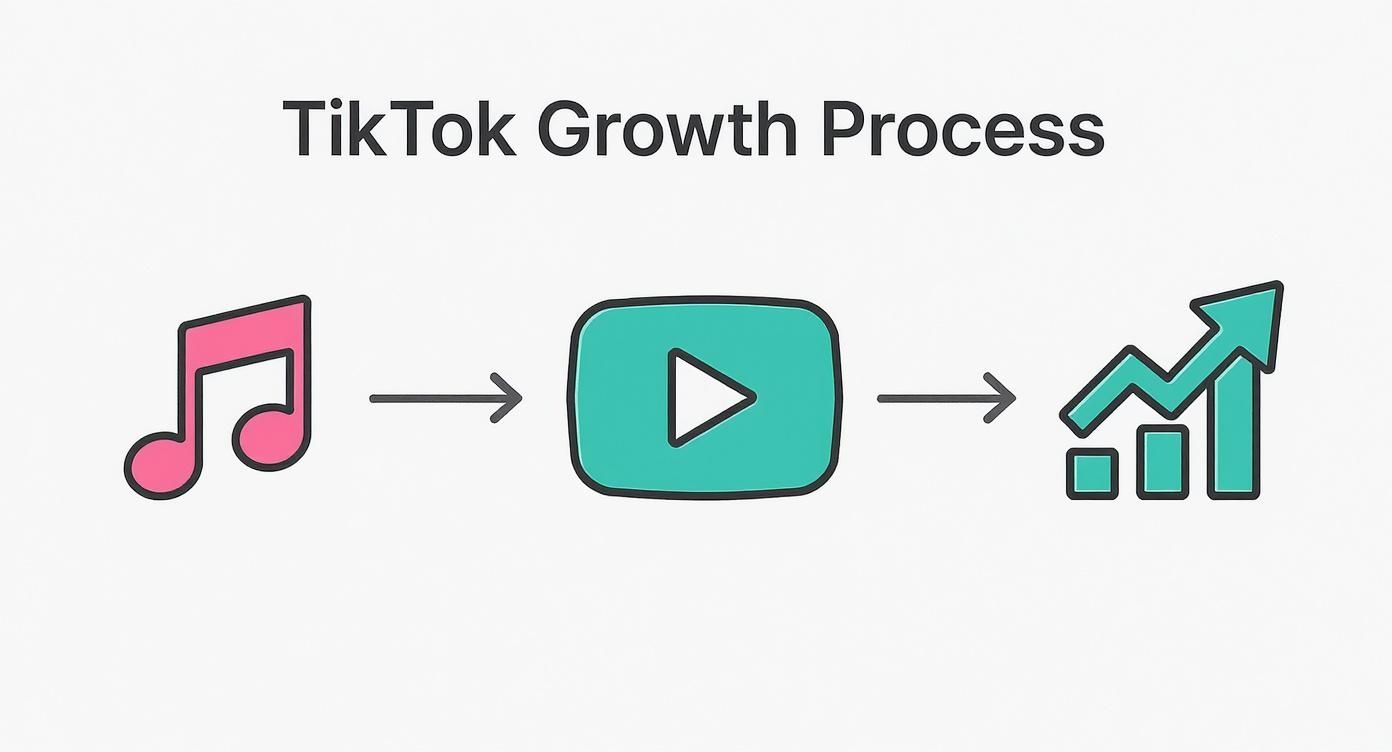
Think of it this way: the sound is the foundation. It’s what fuels the entire growth cycle for your video.
Build a Proactive Discovery Habit
The goal is to turn sound discovery into a repeatable part of your workflow. Don't just hope you'll stumble upon the next big thing; set aside time to actively look for it.
Here’s a simple routine I've seen work wonders:
Monday Morning: Carve out 15 minutes to dive into the TikTok Creative Center. Focus on the 'Breakout' charts. Your mission is to find 2-3 sounds that are climbing fast but aren't everywhere... yet.
Throughout the Week: As you scroll for fun, be strategic. Hear a sound you like? Even if you don't have an idea for it, tap the spinning record icon and 'Add to Favorites.' You're building a personal library of potential hits to pull from later.
Spy on Your Niche: Pay attention to what sounds other accounts in your space are using. If you see a few similar creators using the same non-mainstream sound, that’s a massive clue that it resonates with your target audience.
Making sound discovery an intentional part of your strategy shifts you from being a trend follower to a trendsetter. It’s a small change in your routine that can make a huge difference in your reach and engagement.
Practical Tips for Adding and Editing Audio
Finding the perfect sound is a huge step, but the real magic happens in the edit. It’s how you integrate that audio that turns a simple video into a polished, engaging piece of content. Getting comfortable with TikTok’s built-in editing tools is what separates the pros from the amateurs.
Once you have your clips recorded or uploaded, tap 'Add sound' at the top of the editing screen. This takes you right back to the sound library, where you can lock in your choice or even swap it for something better before diving into the details.
Perfecting Your Sound with Key Editing Tools
With your sound added, your next stop is the editing panel on the right side of the screen. Find the scissors icon labeled ‘Trim’—this tool is your best friend. Instead of just letting a song play from the beginning, you can scrub through its waveform to pinpoint the exact moment you need.
Think about it: starting your video right at a beat drop or a punchy lyric is a fantastic way to hook someone instantly. Never settle for the default starting point; find the clip that matches the energy of your video.
Volume control is another must-use feature. In that same editing panel, tap the 'Volume' option. This lets you balance the ‘Original sound’ (the audio from your actual video clips) with the ‘Added sound’ (the music you picked). This is absolutely critical for voiceovers or any video where you need dialogue to be clear. One of the most common mistakes I see is creators letting the music completely overpower their voice, which just makes the video confusing.
Pro Tip: For a clean voiceover, I always drag the ‘Added sound’ volume way down, usually somewhere between 5-15%. This keeps the music as a nice atmospheric touch in the background without drowning me out. If I'm making an energetic montage with no dialogue, I just mute the ‘Original sound’ completely.
Syncing Your Video to the Beat
The ‘Sync’ feature is, without a doubt, a game-changer. It automatically aligns your video cuts to the beat of the music, creating that seamless, satisfying rhythm that keeps people watching. It’s perfect for montages, tutorials, and especially transition videos.
To give it a try, upload your clips, pick a sound, and look for the ‘Sync’ button. TikTok handles the heavy lifting by analyzing the audio and timing your footage perfectly. You can still tweak things afterward, but it gets you 90% of the way there in seconds. This one feature can make your content look incredibly professional with almost zero effort.
A video where the cuts hit right on the beat just feels right. It’s one of those subtle details that makes a huge difference in viewer satisfaction and, ultimately, watch time. Mastering these editing details is what it really means to use TikTok sounds effectively. It’s the difference between a video that feels random and one that feels intentional and expertly crafted.
How to Create Your Own Original Sounds
Why just follow trends when you could be the one starting them? Sure, jumping on a trending sound is a fantastic way to grow, but creating your own original sound puts you right at the heart of the action.
Every time another creator uses your audio, their video links directly back to your original post. This creates a powerful, organic discovery engine that can drive a massive wave of new viewers to your account. An original sound is simply any audio that comes directly from one of your videos—it could be a voiceover, a custom mix of sound effects, or even the unique background noise from a specific place. It’s anything that isn't already sitting in TikTok's official library.
What’s the Secret Sauce for a Viral Sound?
So, what makes an original sound take off? It usually boils down to a few key ingredients. The best ones are either incredibly relatable, genuinely hilarious, or provide the perfect template for others to jump on.
Think about what works: a short, catchy, and repeatable snippet of audio that’s easy to adapt. It could be a killer punchline, a surprising reaction, or even a direct question that begs for a video response.
You don't need a fancy studio microphone, but the audio has to be clear. Find a quiet spot to record and speak distinctly. If people can't understand what you're saying, they're not going to use your sound, and your potential trend will be over before it even starts.
The real magic of an original sound is its potential to become a community inside joke. When people use it, they're not just making a video; they're signaling they are "in on it," creating a powerful sense of belonging that the algorithm loves.
Predicting which sound will go viral is next to impossible. For example, the most used sound on TikTok globally is “Love You So” by The King Khan & BBQ Show, which has been featured in over 31.6 million videos. Its runaway success proves that you don't need a mainstream hit; sometimes, an adaptable, lesser-known track can completely take over the platform. You can find more fascinating data about the most popular TikTok tracks on RouteNote.
Publishing and Saving Your Sounds
Once you post a video with your unique audio, TikTok automatically creates an "original sound" from it. Here’s a pro tip: give it a specific, searchable name.
After you upload, just tap the spinning disc icon on your video. You’ll see an option to edit the sound’s title. Change it from the generic default to something memorable that relates to the audio. This small step makes it much easier for others to find and use it.
Another great habit to get into is building your own personal library of sounds using the 'Favorites' feature. Whenever you stumble upon a sound you like—whether it’s trending, original, or just fits your vibe—tap the bookmark icon to save it. This creates a hand-picked collection of audio that's always ready to go, seriously speeding up your creation process.
Navigating Copyright for Business Accounts
When you're running a business account on TikTok, the rules for using audio are completely different. It's a common trap to fall into. You see a trending song everywhere, so you use it for your brand's video, only to have the sound muted later. It's frustrating, but it happens for a crucial reason: copyright.
Personal accounts get a lot more freedom to use mainstream, popular songs. But the moment a sound is attached to a product, a service, or any kind of promotion, it becomes commercial use. That requires a specific, and usually costly, license that most chart-topping tracks don't have for brands on TikTok. Getting this wrong isn't just a slap on the wrist; it can lead to muted videos, content takedowns, or even penalties against your account.
The Commercial Music Library Is Your Best Friend
Thankfully, TikTok doesn't leave businesses to fend for themselves in a legal minefield. They created the Commercial Music Library (CML), which is your go-to source for audio. It’s a huge, curated collection of over 1 million songs and sounds that are already pre-cleared for brands to use.
Think of it as a safety net. Anything you pull from this library is good to go for your organic posts and ads, so you can skip the copyright anxiety and get back to being creative. If you have a Business Account, you'll see this library when you tap the "Add sound" button in the app.
You can also browse the library from your desktop in the TikTok Creative Center, which is a great way to plan content ahead of time. You can filter by what's popular, different genres, and even playlists built around themes like "Sales Promotion" or "Vlog."
What Can and Can't You Do?
Let's make this super simple. Here are the ground rules for your business account.
What to do:
Live in the Commercial Music Library. Seriously, make this your default. It’s the only way to be 100% sure you're compliant when using pre-made music.
Create original audio. Record your own voiceovers, make a unique jingle, or capture some interesting real-world sounds. Not only is this completely safe, but your original sound could become the next big trend, with all the credit pointing back to you.
Use other royalty-free music sources. If your company already subscribes to a service like Artlist or Epidemic Sound, you can download tracks from there and upload them to TikTok as an original sound for your video.
Crucial Takeaway: If your video has any commercial intent—whether it's selling a product, announcing a sale, or just building brand awareness—you must use audio that's licensed for commercial use. The gray area is practically nonexistent.
What to avoid:
Don't use popular songs from the main "For You" feed. Just because a personal account can use the latest Drake or Taylor Swift hit doesn't mean your brand can. TikTok's system is smart and will likely mute your audio automatically, sometimes hours or days after you post.
Don't just grab audio from another user's video. Tapping "Use this sound" on a viral video is risky. Unless you can verify that the sound originated from the Commercial Music Library, you're probably borrowing copyrighted audio.
Stick to these guidelines, and you can build an incredible brand presence on TikTok without ever having to worry about your account's good standing.
8. Popular Sound-Driven Video Formats to Try
Pairing a great sound with the right video concept is where the magic really happens. Some of the most successful video formats are built around audio, giving you a proven blueprint for content that grabs attention.
Instead of staring at a blank screen, try leaning on these battle-tested, sound-driven formats. They offer a clear structure, making it much easier to jump on a trend and start creating.
Transition Videos
You've definitely seen these. This classic format hinges on using a specific moment in a sound—usually a big beat drop or a key lyric—to trigger a sudden, dramatic visual shift. Think outfit changes, "before and after" reveals, or a jump to a new location.
The secret to a killer transition is making the cut feel seamless, almost like a magic trick. You'll need to get comfortable with the trim and sync tools to line up your visual change precisely with that audio cue. A makeup artist might show their face pre-makeup, then snap their fingers right on the beat to reveal the finished look.
This format is so effective because it’s just plain satisfying to watch. That perfect sync between the audio and the visual payoff creates a "wow" factor that keeps people watching and even replaying to figure out how you did it.
Lip Sync and Skit Videos
Lip-syncing is TikTok's bread and butter. It’s the perfect way to tap into funny movie quotes, trending song lyrics, or relatable audio clips. This format lets you show off your personality without having to write a single line of original dialogue.
To really sell it, practice your timing and facial expressions. The goal isn't just to mouth the words, but to match the energy and emotion of the original audio. For example, a real estate agent could lip-sync to a popular sound about "finding the perfect one" while opening the door to a stunning home, cleverly connecting a trend to their niche.
Educational Content and Storytelling
Who said learning has to be boring? Trending sounds can make educational content way more engaging and much more likely to be shared. A fast-paced, rhythmic track can be the perfect underscore for a quick tutorial or a list of tips that appear as on-screen text.
Imagine a chef using a popular, upbeat sound for a rapid-fire video showing the steps to a recipe. The familiar audio hooks viewers immediately, while the visuals deliver the valuable information. It’s a brilliant way to turn otherwise dry content into something dynamic and easy to follow.
Certain video styles and audio just click. Below are a few formats that are practically designed to work with trending sounds, giving you a reliable starting point for your next video.
Popular Sound-Driven TikTok Formats
| Format Type | Sound Characteristics | Example Scenario |
|---|---|---|
| "Point to Text" Explainers | Upbeat, rhythmic, often with a consistent beat. | A financial advisor points to different text bubbles explaining budgeting tips that appear in sync with the beat. |
| Day-in-the-Life Vlogs | Chill, aesthetic, or lo-fi music that sets a mood. | A small business owner shows snippets of their workday set to a relaxing, trending instrumental track. |
| Product Demos/Unboxings | Sounds with a "wow" factor or satisfying ASMR-style effects. | Unboxing a new tech gadget with audio that has crisp, satisfying clicks and electronic tones. |
| Challenge or Dance Trends | An original song or remix with a clear, repeatable rhythm. | A user and their friends learn and perform the latest viral dance challenge in a public space. |
These formats work because the sound isn't just background noise—it's an integral part of the story and the viewing experience.
Got Questions About TikTok Sounds? We've Got Answers.
Even after you've nailed down a solid strategy, you're bound to run into some specific questions about using sounds on TikTok. It happens to everyone. Here are some of the most common ones I hear, along with some quick, practical answers.
Can My Business Account Use That Super Popular Song?
Short answer: No. If you're running a Business Account, you're restricted to TikTok's Commercial Music Library.
This isn't just TikTok being difficult—it's about copyright law. The commercial library is packed with over a million tracks that are pre-cleared for you to use in your marketing content. If you try to use a mainstream, copyrighted hit from the general library, you're risking your video getting muted or even taken down. It's just not worth the headache.
How Can I Find a Sound if I Don't Know Its Name?
This is a classic problem. You hear the perfect audio, but what is it called? You have a few options here:
In the App: If you see a video using the sound, just tap the little spinning record icon in the bottom-right corner. That'll take you straight to the sound's official page where you can see its name and save it.
Search by Description: If you heard it somewhere else, try typing key lyrics or a description of the sound into TikTok's search bar. You'd be surprised how often this works.
Use a Helper App: When all else fails, an app like Shazam is your best friend. Play the sound, let Shazam listen, and it'll tell you the song title in seconds. Then you can search for it on TikTok.
Is Using a Trending Sound a Guaranteed Ticket to Going Viral?
I wish it were that simple! Using a trending sound gives you a massive advantage—the algorithm is already primed to push videos using that audio—but it's not a silver bullet.
Think of it as a powerful booster. Your video's success still hinges on its quality, your creativity, and how well you adapt the trend to your own brand or niche. A great idea paired with a trending sound is the real magic formula.
Ready to stop guessing and start creating TikToks that actually get seen? Viral.new delivers fresh, trend-aligned video ideas straight to your inbox daily, complete with sound recommendations tailored to your niche. Skip the creative block and start making content that works at https://viral.new.
