

Juggling a few different TikTok accounts might seem like a handful, but once you break it down, the strategy is pretty simple. It really comes down to three things: getting the hang of the in-app account switcher, creating a unique content plan for each profile, and using smart scheduling tools so you don't burn out.
Why Managing Multiple TikTok Accounts Is a Smart Move
Running more than one TikTok account isn't just for show—it's a seriously effective way to connect with different audiences, dive into new niches, and build separate brand identities. For a lot of creators and businesses, it's a non-negotiable part of their growth plan. Trying to squeeze all your ideas into a single account can get messy fast, leaving your followers confused and watering down your message.

Unlocking Niche Opportunities
Imagine a personal trainer who's also a fantastic vegan cook. If they post both workout tips and plant-based recipes on the same profile, they risk losing followers who are only there for one or the other.
Splitting them into two separate accounts lets them build two dedicated, super-engaged communities. This approach has some major upsides:
- Targeted Content: You can give each audience exactly the content they came for.
- Brand Clarity: You avoid sending mixed signals and establish yourself as an expert in multiple fields.
- Algorithm Optimization: You’re essentially training the TikTok algorithm to push your videos to the right people for each specific niche.
This kind of audience segmentation is one of the biggest reasons TikTok is so powerful for brand building. We dive deeper into this in our guide on the benefits of TikTok for your brand.
To succeed with this approach, you need a solid foundation built on clear, distinct strategies for each account. Think of it as building separate, focused brands under one roof.
Table: Core Pillars of Multi-Account Management
| Pillar | Core Action | Key Benefit |
|---|---|---|
| Account Switching Mastery | Efficiently use TikTok's native feature to toggle between up to 5 profiles without logging out. | Drastically reduces time spent on administrative tasks and minimizes the risk of posting to the wrong account. |
| Siloed Content Strategy | Develop a unique content plan, voice, and aesthetic for each individual account. | Prevents audience confusion, strengthens brand identity, and trains the algorithm for better reach in each niche. |
| Intelligent Scheduling | Use third-party tools to plan, schedule, and automate posts across all accounts. | Ensures consistent posting schedules without constant manual effort, preventing burnout and freeing up time for creation. |
By mastering these three areas, you create a system that’s not just manageable but scalable, allowing you to grow your presence without getting overwhelmed.
Gaining Efficiency and Focus
Managing multiple accounts doesn't automatically mean more work—if you have a system. TikTok's built-in account switcher is a game-changer, letting you flip between up to five different profiles in seconds.
This feature alone is a huge time-saver and cuts down on mistakes. For instance, getting your switching workflow down can slash posting errors by up to 40%. For agencies juggling client accounts, this kind of streamlined access can free up 15-20 hours every single week. That’s more time for brainstorming and creating great content.
The goal isn't just to switch between profiles; it's to cultivate separate, thriving communities. Each account should feel like its own world, with a unique voice, purpose, and value proposition that keeps its audience coming back for more.
At the end of the day, running more than one account is a strategic play to maximize your reach. It gives you a safe space to experiment with new video formats, content ideas, or brand voices without putting your main account's hard-earned growth at risk.
Building Your Foundational Account Setup
A solid workflow for managing multiple TikTok accounts all starts with a rock-solid setup. This is about more than just tapping ‘add account’; it's a strategic approach that handles the small details now to prevent major headaches later. Think of it as building a clean, organized system that actually supports your growth instead of getting in the way.

The very first thing you need to do is treat each account as its own separate entity, right down to its login credentials. This means every new profile gets its own unique email address and a strong, separate password.
It’s tempting to use the same email for everything—it seems convenient. But that convenience creates a single point of failure. If that one email is ever compromised, every single one of your TikTok profiles is suddenly at risk. Using separate emails not only simplifies password recovery but also adds a crucial security buffer, making sure a problem with one account doesn't spiral into a crisis for all of them.
Crafting Distinct Brand Identities
With your accounts securely set up, the next job is brand separation. You want to make it instantly clear to any visitor—and, just as importantly, to the algorithm—what each of your profiles is all about. This clarity is key to preventing audience confusion and making sure each account pulls in the right kind of followers.
To pull this off, you’ll want to dial in these core profile elements for each account:
- Unique Profile Pictures: Use images that are visually distinct. For a business, this could mean different logo variations or specific product shots. As a creator, you might use different headshots or graphics that match each account's niche.
- Targeted Usernames: Your @handle should be intuitive and directly relevant to the account's purpose. Steer clear of generic names that could easily apply to any of your profiles.
- Niche-Specific Bios: That bio is precious real estate. Each one should be written to speak directly to that account's specific audience, packed with keywords relevant to its niche.
- Dedicated Links: Don't send everyone to the same generic homepage. The link in your bio should point to a destination that makes sense for that particular brand or project.
Imagine a real estate agent juggling three accounts: one for luxury property tours (@LuxeHomesMiami), another for first-time homebuyer advice (@MiamiHomeGuide), and a personal brand account (@AgentJaneDoe). Each would need its own logo, a bio tailored to its audience (like "Your guide to affordable Miami living"), and a link pointing to a specific landing page for that segment.
A well-defined profile is more than just good aesthetics; it's a direct signal to the TikTok algorithm. When your bio, username, and content all align around a specific topic, TikTok gets a much clearer picture of who to show your videos to, which can seriously accelerate your growth.
Putting in this work upfront is fundamental. It not only makes your profiles look more polished and professional but also lays the groundwork for building a strong, recognizable presence. If you want to dig deeper into this, learning how to build a personal brand can offer some powerful insights for crafting a compelling identity.
Taming Your Notifications
Once you have multiple accounts up and running, your phone can quickly become a relentless source of distraction. If you don't get a handle on your notifications, you’ll find yourself constantly being pulled away from the work that actually matters. A smart notification strategy is non-negotiable for anyone figuring out how to manage multiple TikTok accounts without going crazy.
The key here is to create a hierarchy. Decide which account is your top priority—maybe it's your main business profile or primary creator account—and let those notifications come through. For all the secondary or experimental accounts, go into your phone's settings and turn off most, if not all, of their push notifications.
You can still check in on comments and engagement for these other accounts by manually switching to them in the app a couple of times a day. This "batching" approach keeps you in the loop without letting every single 'like' and 'follow' derail your focus. It’s the difference between you controlling your accounts and your accounts controlling you.
Crafting a Unique Content Strategy for Each Profile
If you want to successfully manage more than one TikTok account, you have to internalize one non-negotiable rule: each profile needs its own distinct identity. This is where so many creators and brands stumble. Without a unique game plan for each account, your profiles will eventually blur together, confusing your audience, weakening your message, and flat-out leading to burnout.
The real challenge isn't just making more content; it's about making the right content for each specific audience. A generic, one-size-fits-all approach is a recipe for failure. You have to treat every single account like its own brand, with its own purpose, voice, and reason for being.
Define Your Account Pillars
Before you even dream of hitting the record button, take a big step back and figure out the core pillars for each profile. For every account you manage, you need to answer a few foundational questions about what it stands for.
Let's imagine a financial advisor looking to grow their audience. Instead of a single, messy account, they could launch three separate profiles with very different missions:
- Account 1 (The Expert): This is all about serious, in-depth market analysis. The tone is buttoned-up and professional, the content is packed with data, and the target audience is experienced investors.
- Account 2 (The Educator): Here, the focus is on fun, viral-style personal finance tips. The tone is super casual and friendly, using trending sounds to teach budgeting basics to a younger crowd.
- Account 3 (The Human): This is where the advisor shows their personal side with travel vlogs and behind-the-scenes moments. The vibe is authentic, designed to build a real human connection with followers.
See how each of these serves a different purpose and speaks to a completely different group of people? By setting these clear boundaries from the get-go, the advisor avoids sending mixed signals and makes sure every video has a strategic point.
The best multi-account managers think like a media company, not a solo creator. Each account is its own "show" with a unique theme, style, and target viewer. This allows their overall portfolio to have broad appeal without sacrificing the power of a specific niche.
This level of strategic focus is exactly what teaches the TikTok algorithm who your ideal follower is for each profile, which in turn leads to better reach and more engaged communities.
Build a Content Calendar for Total Clarity
Once you've locked in your account pillars, it's time to turn that strategy into an actual plan. This is where a content calendar becomes your absolute best friend for juggling multiple TikTok accounts. Whether it's a simple spreadsheet or a dedicated app, a calendar helps you map out your themes, formats, and posting schedules.
Your calendar should be set up to visually separate each account, giving you a bird's-eye view of your entire content ecosystem. This simple step is a lifesaver for preventing accidental overlap and making sure you're giving each profile the love it needs to grow.
For instance, your weekly plan might look something like this:
| Account | Monday | Wednesday | Friday |
|---|---|---|---|
| @FinanceExpert | Market Recap Monday | Deep Dive Wednesday | Q&A Friday |
| @BudgetingBasics | Trending Sound Tip | "How to Save" Series | Myth-Busting Friday |
| @TravelAdvisor | "Guess the Location" | Packing Hacks | Weekend Trip Vlog |
A structure like this creates a steady, predictable flow of fresh content that each audience will appreciate, and it keeps you from feeling repetitive. It also takes a ton of pressure off the creative process, since you're working from a clear guide instead of staring at a blank screen every day.
Find Endless Ideas and Keep the Momentum Going
One of the biggest headaches of running multiple profiles is the relentless demand for new ideas. The pressure to keep up with trends across different niches can feel overwhelming. This is where you can get smart and use tools as your secret weapon to solve the "what do I post?" problem. A service like Viral.new, for example, delivers daily, trend-aligned ideas customized for each of your niches, keeping your pipeline full of fresh, algorithm-friendly content. If you're hitting a wall, check out our guide on how to find endless content ideas for TikTok.
Just as crucial as creativity is consistency. Posting sporadically is the fastest way to kill your momentum and tell the algorithm your account is going dormant. The data doesn't lie: a higher posting frequency is directly linked to faster growth.
In fact, a massive analysis of 11.4 million posts found that accounts grow 2.5 times faster when they post every single day. The same study also revealed that ramping up from once a week to over 11 times per week can boost your views per post by up to 34%, even for smaller accounts. You can dive into more insights from the full TikTok posting frequency analysis on Buffer. This data really drives home why using a calendar and idea-generation tools is so vital for maintaining a steady, high-quality output across all your profiles.
Making Your Life Easier with Management Tools
Let's be honest: manually posting to multiple TikTok accounts is a recipe for burnout. If you're juggling more than a couple of profiles, the constant switching, copying captions, and trying to post at the perfect time becomes a total logistical headache. To really scale up and stay sane, you have to stop thinking about manual effort and start thinking about smart automation with the right management platform.
These tools are built to solve the exact problems you're facing. Instead of living inside the TikTok app, you get a single dashboard—a command center—where you can see and control everything for all your accounts. This is the secret to getting your time back and maintaining a consistent, high-quality presence across the board.
The Magic of a Centralized Dashboard
The most immediate win you'll get from a good management tool is the ability to schedule posts ahead of time. This completely changes the game. You can batch-create your content—say, film and edit all of next week's videos in one go—and then load them into the scheduler. You pick the exact date and time for each video to go live on each specific account, and you're done.
This shifts your entire workflow from being reactive to proactive. No more scrambling to find something to post every day. Now, you’re simply executing a strategy you planned out in advance. For a social media manager handling five client accounts, this can easily free up 10-15 hours a week. That’s time you can now spend on brainstorming creative ideas or digging into your analytics.
The real goal here is to build a seamless content pipeline. You can pull a trending idea from a service like Viral.new, create the video, and schedule it for its peak time without the friction of constantly switching between apps. It creates a smooth, repeatable process that’s the foundation for consistent growth.
Beyond scheduling, these platforms pack in other features that take the pain out of managing multiple TikToks.
This process chart breaks down what a solid, unique content strategy looks for each account—it all starts with defining your purpose before you even think about scheduling.
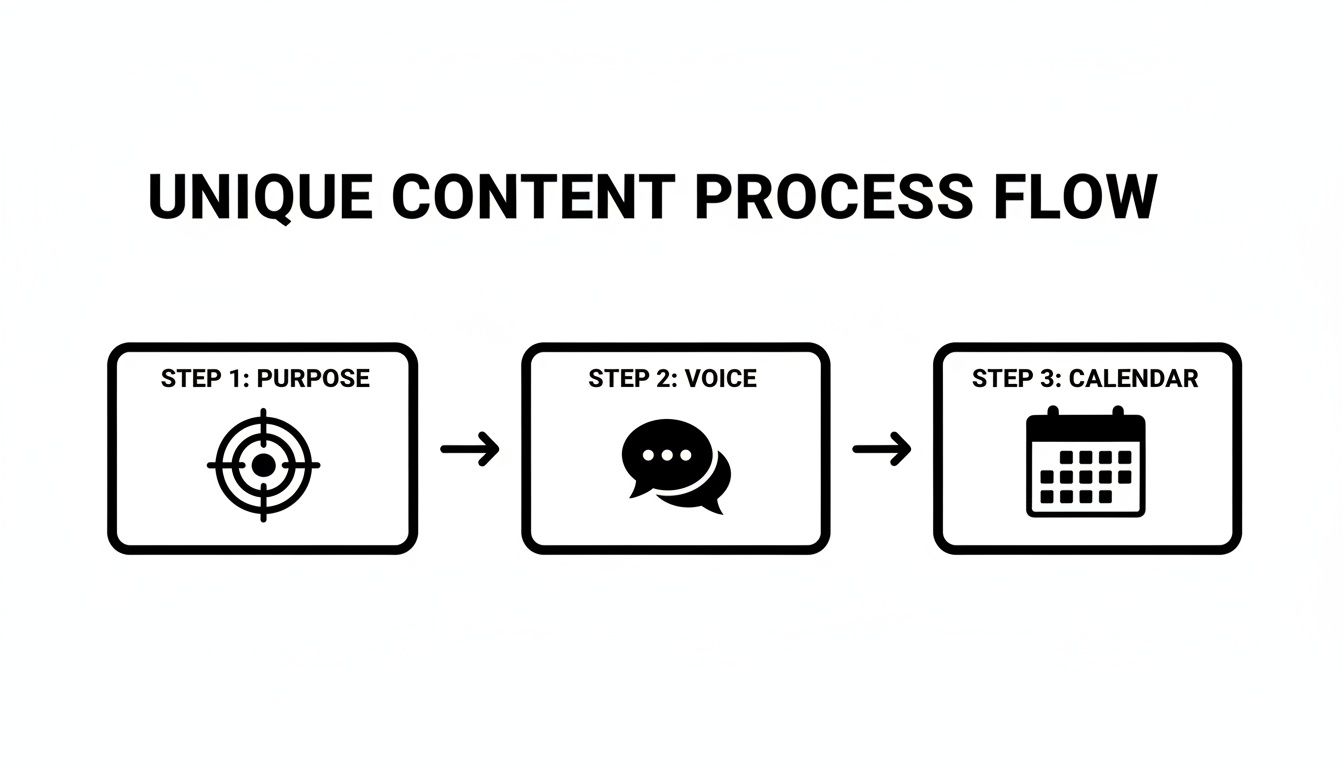
As you can see, a successful strategy is built on a foundation of purpose, voice, and planning. The tools just help you execute that plan efficiently.
Key Features You Should Actually Look For
Not all social media management tools are built the same, especially when it comes to TikTok's unique video-first format. When you're shopping around, focus on the features that will genuinely solve your biggest multi-account problems.
- Bulk Uploading: This is a non-negotiable. Being able to upload a dozen videos at once is a massive time-saver. You should be able to just drag and drop a whole week's worth of content for all your accounts in one go.
- Central Asset Library: Look for a tool with a shared media library. This is where you can store all your brand assets—logos, video end cards, approved audio clips, and common graphics—in one spot, ready to be used on any account.
- First Comment Scheduling: The savviest tools let you schedule the first comment to post automatically with your video. This is the perfect spot to drop extra hashtags to boost discoverability without cluttering up your main caption.
Think about it: if you run a pet brand with separate accounts for dogs, cats, and exotic pets, a central library is a lifesaver. Your team can grab the correct logo and outro for each video without digging through a messy shared drive. It’s a simple feature that cuts down on mistakes and keeps your branding tight.
Bring on the Team—Securely
As you grow, you'll probably want to bring on help, like a virtual assistant or a video editor. But just handing over your login details? That’s a huge security risk you don't want to take. Management tools offer a professional, secure way to collaborate.
These platforms let you grant access to team members without ever sharing your actual passwords. You can assign specific roles and permissions, giving you granular control over who can draft, schedule, approve, or just view content for each of your TikTok accounts.
This is absolutely critical for keeping your accounts safe. If a team member leaves, you can revoke their access from the management dashboard with a single click. No frantic password changes, no wondering if your accounts are still secure. It gives you peace of mind and a clear audit trail of who did what, and when. For anyone serious about running a professional multi-account operation, this kind of structured collaboration isn't just a nice-to-have; it's essential.
Tracking Performance Across Your Accounts
If you're managing more than one TikTok account, your success boils down to one thing: tracking what actually works. Without keeping a close eye on your analytics, you're just throwing content at the wall and hoping something sticks. A scattered approach to data will leave you tangled up, making it nearly impossible to grow each profile to its full potential.
The real trick is to treat every single account like its own unique project. You simply can't measure success with the same yardstick when your goals are completely different from one profile to the next. This data-first mindset is what separates the pros from the hobbyists, and it’s how you’ll sharpen your strategy for each community you’re building.
Aligning Metrics with Account Goals
Before you even think about looking at a dashboard, you need to define what "success" means for each account. A business profile trying to generate sales leads has a totally different set of priorities than a personal brand account focused on building a dedicated following. If you try to optimize both for the same metrics, you’re setting yourself up to fail at both.
Think about it this way: a direct-to-consumer brand's main account might be obsessed with profile clicks and link-in-bio taps. For them, every video is judged by how well it drives traffic to their online store. At the same time, they might run a second, more experimental account that focuses only on average watch time and follower growth to test out wilder content ideas.
The metrics you track are a direct reflection of your strategy. If your goal is sales, track sales-related actions. If it's community, track engagement. Mismatched metrics lead to wasted effort and confusing results.
This strategic separation is everything. By setting clear, distinct goals for each profile, you can focus your creative energy on making content that actually moves the needle on the numbers that matter for that specific account.
Account-Specific KPI Tracking
To make this practical, it's helpful to map out which metrics are most important for each account's purpose. Trying to track everything for every profile is a recipe for overwhelm. Instead, focus on a primary and secondary KPI that directly reflects the account's core goal.
| Account Type | Primary KPI | Secondary KPI | Example Goal |
|---|---|---|---|
| Brand Main Account | Profile Clicks | Comments | Drive traffic to the e-commerce site. |
| Founder Personal Brand | Follower Growth | Shares | Establish thought leadership in a niche. |
| Experimental Content | Average Watch Time | Video Completions | Test new formats and find what resonates. |
| Customer Support/FAQ | Profile Views | Saves | Become a go-to resource for product info. |
| Community Building | Engagement Rate | New Followers | Foster a loyal and interactive audience. |
Having a simple chart like this keeps your team aligned and ensures that your content creation efforts are always tied to a measurable outcome. It cuts through the noise and helps you report on what truly matters.
Navigating TikTok’s Native Analytics
Thankfully, TikTok gives you a surprisingly solid set of native analytics tools, available to anyone with a Business or Creator account. To get there, just switch to the profile you want to check, tap the three lines in the top-right, head to "Creator Tools" or "Business Suite," and then select "Analytics."
You’ll find your data broken down into a few key tabs:
- Overview Tab: This is your big-picture dashboard, showing video views, profile views, likes, comments, and shares over different timeframes.
- Content Tab: Here’s where you can get granular on individual video performance. See which posts are trending and dig into metrics like total playtime, average watch time, and where your traffic is coming from.
- Followers Tab: Get to know your audience. This tab gives you demographic breakdowns like gender, age, top countries/cities, and the holy grail for scheduling: their most active hours on TikTok.
Making a habit of checking these analytics for each account will help you spot crucial patterns. You might discover your B2B account's audience is most active on weekday mornings, while your lifestyle account gets the most traction on Sunday evenings. That kind of insight is pure gold.
This process is what unlocks growth. In fact, some agencies have cut their reporting time by 70% by building dashboards that visualize this separate data. A healthy engagement rate of 8-12% is often a great sign of momentum, and one creator famously grew from 3k to 70k followers by using per-account analytics to fine-tune their video hooks. You can dive into the full creator case study and its findings to see how they did it.
Using Tools for a Unified View
While TikTok's built-in tools are great for deep dives, constantly switching between five different analytics dashboards gets old fast. This is where third-party management platforms really shine for anyone serious about juggling multiple accounts.
Many of these tools pull the data from all your connected profiles into one clean, unified dashboard. This gives you a quick, side-by-side comparison of your most important metrics, helping you spot big-picture trends and decide where to focus your energy. You can see in an instant which account is crushing it in follower growth or which one is lagging in engagement—all without the headache of logging in and out.
Common Questions About Managing TikTok Accounts
As you start juggling a few different profiles, some practical questions are bound to pop up. Knowing the rules, limits, and best practices is a huge part of learning how to manage multiple TikTok accounts for the long haul. Let's clear up some of the most common things you'll run into.
Getting these details right isn't just about sidestepping problems; it's about building a secure and professional operation from day one.
How Many TikTok Accounts Can You Have on One Phone?
This is easily one of the most common questions, and thankfully, the answer is simple. The official TikTok mobile app lets you add and switch between a maximum of five accounts on a single phone. That limit is built right into the app.
For most creators, influencers, and small businesses, that five-account cap is plenty. It lets you comfortably separate a main brand account, a personal profile, and maybe a few niche projects without needing extra hardware.
But what if you need more? Say you're an agency managing a dozen client profiles. The answer isn't to buy more phones—it's to move your workflow to a third-party social media management dashboard. These tools let you and your team access and post to an unlimited number of accounts from one place, completely bypassing the device limit.
The built-in feature is all about convenience, but it's best to respect the limit to keep the app running smoothly. Pushing beyond it means it's time for a more professional setup.
Can You Get Banned for Having Multiple Accounts?
Let's clear the air on this one: No, you will not get banned just for owning and operating multiple TikTok accounts. The platform actually designed the account-switching feature to support this exact scenario. It's a completely legitimate and accepted practice.
The real risk of getting banned comes from how you use those accounts. If you violate TikTok's Community Guidelines on any of your profiles, that's when you can get into trouble. This is especially true if you use your network of accounts for sketchy activities.
Think of it this way: each account needs to be a good citizen on the platform. Behaviors that could land you in hot water include:
- Spamming: Using all your accounts to post the same comment on someone's video or to artificially juice your own engagement.
- Harassment: Coordinating your accounts to bully or target another user.
- Fraud: Promoting scams or using multiple profiles to seem more legitimate than you are.
The key takeaway is to run each account as its own distinct, genuine entity. As long as every profile has a unique content strategy and engages with the community authentically, you're perfectly safe.
What's the Best Way to Give My Team Access?
As your brand grows, you'll probably want to bring on help. But just handing over your password is a huge security risk. The smartest and most secure way to grant access is to never share your direct login credentials. Period.
Instead, you have two professional-grade options. The first is to use a dedicated social media management tool. These platforms act as a secure go-between. You connect your TikTok accounts to the tool, and then you can invite team members to that platform, assigning them specific roles and permissions for each profile. This gives you a clear audit trail and lets you revoke access with a single click.
The second method is using TikTok's own Business Center. It's designed specifically for this kind of collaboration and lets you add team members with clearly defined roles:
- Admin: Has full control over all account assets and members.
- Analyst: Can only view performance data and analytics.
This native solution is perfect for giving your marketing team or an analyst access to performance data without handing over the keys to the entire account. Either way, you get the security and control you need for a professional workflow.
Should I Use the Same Email for All My Accounts?
It might seem convenient, but using the same email address for all your TikTok accounts is a bad idea. I strongly recommend using a unique email address and a strong, unique password for every single account you create.
There are two big reasons for this. First and foremost is security. Using the same email creates a single point of failure. If that one email account gets compromised, a hacker could potentially get into your entire portfolio of TikTok profiles. Keeping them separate creates a crucial security buffer.
Second, it just makes account management and recovery way easier. If you ever forget a password or get locked out, the recovery process is tied to that specific email. Having a dedicated email for each profile avoids any confusion and makes getting back in much smoother. It's easy enough to set up free accounts or use an email alias feature to manage this without much hassle.
Ready to fill your content calendar with ideas that actually work? Viral.new delivers fresh, trend-aligned TikTok prompts directly to your inbox every morning, tailored specifically to your niche. Stop guessing and start creating with concepts designed for reach. Get your daily dose of viral ideas at Viral.new.
