

Content creation is no longer just about raw talent and relentless hard work; it’s about achieving speed, maintaining consistency, and capitalizing on trends before they fade. The pressure to produce high-quality, engaging content daily can lead to creative burnout and missed opportunities. This is where artificial intelligence steps in, not as a replacement for creativity, but as a powerful co-pilot designed to handle the repetitive, time-consuming tasks that slow you down.
This guide dives straight into the best AI tools for content creation, curated specifically for creators, marketers, and agencies. We'll explore 12 essential platforms that streamline your entire workflow. You'll discover how to automate everything from generating viral TikTok ideas with Viral.new to editing complex videos with a few simple clicks. We move beyond generic feature lists to provide a practical, in-depth analysis of what truly matters for your content strategy.
Inside this resource, you'll find:
- A breakdown of each tool's core function, key features, and pricing.
- Honest pros and cons based on real-world application.
- Specific use-case examples for different creators, from e-commerce brands to social media managers.
- Direct links and screenshots to help you visualize how each platform works.
Whether you are a solo creator looking to scale your output or a marketing team aiming to dominate a niche, this list is your roadmap. Our goal is simple: to help you find the right combination of AI tools to build a smarter, more efficient content creation engine. Let’s get started.
1. Viral.new
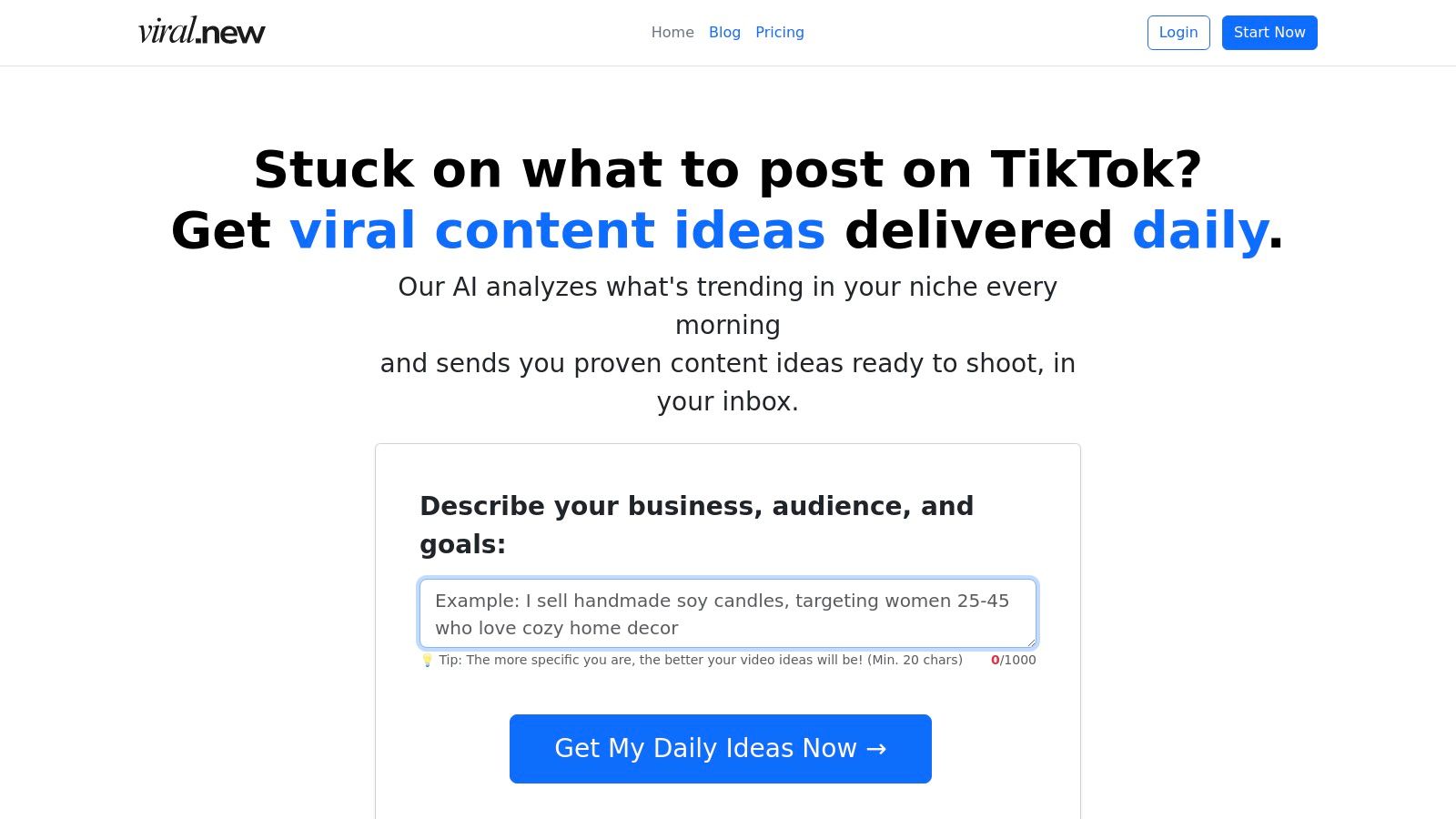
Viral.new establishes itself as a foundational tool for any serious TikTok creator or brand by solving the most persistent challenge in content creation: consistent, high-impact ideation. It operates as an AI-powered idea engine that delivers fresh, trend-aligned, and ready-to-shoot video prompts directly to your inbox every morning. This service is engineered to eliminate creative block and the time-consuming process of manually hunting for trends, making it one of the best AI tools for content creation available today.
The platform's core strength lies in its ability to translate what’s currently gaining momentum on TikTok into actionable concepts tailored to your specific niche. Instead of generic prompts, Viral.new analyzes trending sounds, formats, hooks, and audience intent, then crafts ideas designed to optimize for watch time and conversion. This transforms a reactive content strategy into a proactive, data-informed system for growth.
Key Features and Strengths
Viral.new excels with a focused feature set that provides maximum impact with minimal effort. The lightweight onboarding requires only a brief description of your niche to start generating hyper-relevant ideas.
- Daily Trend-Aligned Prompts: Receive a curated batch of ideas each morning, ensuring your content calendar is always populated with timely and relevant concepts.
- Niche-Specific Analysis: The AI goes beyond surface-level trends, analyzing what works specifically for your target audience, whether you're a SaaS founder, a local coffee shop, or a B2C e-commerce brand.
- Conversion-Focused Formats: Each prompt is structured around proven formats that prioritize clear hooks, high watch time, and business objectives like lead generation or product sales.
- Inbox Delivery System: Ideas are sent directly to your email, integrating seamlessly into your daily workflow without needing to log into another platform.
How It Fits into Your Workflow
Viral.new is best used at the very beginning of the content creation process. It replaces the "what should I post today?" question with a concrete, actionable plan. A social media manager can review the daily email, select an idea that aligns with current campaigns, and immediately move to scripting and filming. This system is particularly effective for maintaining a consistent posting cadence, a critical factor for algorithmic success on TikTok.
For those looking to deepen their understanding of ideation, Viral.new's blog offers valuable insights on how to generate effective content concepts.
Pricing and Access
While specific pricing tiers are not visible on the main landing page, Viral.new operates on a subscription model. To see current plans and any available free trials, you'll need to visit the pricing page or sign up for an account. Access is straightforward, requiring a simple sign-in with Google or an email address.
Website: https://viral.new
Best For: Solo creators, social media managers, and small brands focused on consistent, high-growth TikTok content.
| Pros | Cons |
|---|---|
| Saves hours of research with daily, niche-specific ideas. | Focuses solely on ideation; requires other tools for editing and scheduling. |
| Optimized for conversion and watch time, not just vanity metrics. | Pricing information is not immediately visible without signing up or navigating to the page. |
| Effortless workflow with inbox delivery and simple onboarding. | May not be a fit for large enterprises with complex, multi-layered approval workflows. |
| Strong social proof (4.9/5 rating) from an active user base. |
2. G2 — AI Writing Assistants category
G2 isn't a single AI tool but rather a comprehensive B2B software marketplace that aggregates thousands of user reviews. For content creators overwhelmed by options, its AI Writing Assistants category is an essential starting point for research. It provides an unbiased, crowd-sourced landscape of the available technology, making it one of the best resources for comparing AI tools for content creation.
Instead of relying on marketing copy, you can filter and compare tools based on verified user ratings, company size, and specific features. The platform distills countless reviews into digestible pros and cons, helping you quickly identify which tool best fits your workflow, whether you're a solo creator or a large agency.
Why It's a Go-To Resource
G2 excels with its robust comparison functionality. You can select up to four tools and view their features, ratings, and pricing models side-by-side. This is incredibly useful for making a final decision between top contenders like Jasper and Copy.ai.
- Best For: Marketing agencies, SMBs, and anyone conducting in-depth tool research before committing to a subscription.
- Pro Tip: Use the "G2 Score" and market segment filters (e.g., Small Business, Mid-Market) to narrow the list to the most relevant and highly-rated options for your specific needs.
Pricing: Free to browse and compare. You click through to vendor sites for individual tool pricing and trials.
| Pros | Cons |
|---|---|
| Deep, recent review volume from verified users. | Rankings can be influenced by sponsored placements. |
| Excellent comparison UI for shortlisting tools. | You must leave the site to purchase or start trials. |
Website: https://www.g2.com/categories/ai-writing-assistant
3. Capterra — AI Writing Assistant directories and Shortlist
Similar to G2, Capterra is a massive software marketplace, but its strength for content creators lies in its highly scannable format and its curated "Shortlist" reports. For those who want a quick, data-driven overview of the top players, Capterra’s AI Writing Assistant software directory is an invaluable research hub. It simplifies the discovery process by presenting key information, like starting prices and core features, in an easy-to-digest format.
The platform is designed to help business buyers make informed decisions quickly. It offers filterable listings, detailed vendor profiles, and verified user reviews. This allows you to rapidly assess whether a tool aligns with your budget and feature requirements before you even click through to its website, saving significant research time.
Why It's a Go-To Resource
Capterra's "Shortlist" is its standout feature. It uses a proprietary methodology based on user ratings and market popularity to graphically plot the top tools. This visual representation helps you immediately identify the leading and emerging solutions in the AI content creation space.
- Best For: Solo creators and small businesses needing a quick, high-level comparison of pricing and features before diving deeper.
- Pro Tip: Look for the "Starting Price" snippet on each listing to instantly filter out tools that are outside your budget.
Pricing: Free to use for research. Pricing details for individual tools are listed on vendor profiles, and purchases are made on their respective sites.
| Pros | Cons |
|---|---|
| Easy scan of "starting from" pricing info. | Some vendor profiles may be sponsored or prioritized. |
| Neutral coverage across a wide range of vendors. | You have to leave Capterra to sign up for trials. |
Website: https://www.capterra.com/ai-writing-assistant-software/shortlist/
4. Product Hunt — Writing/AI writing topics
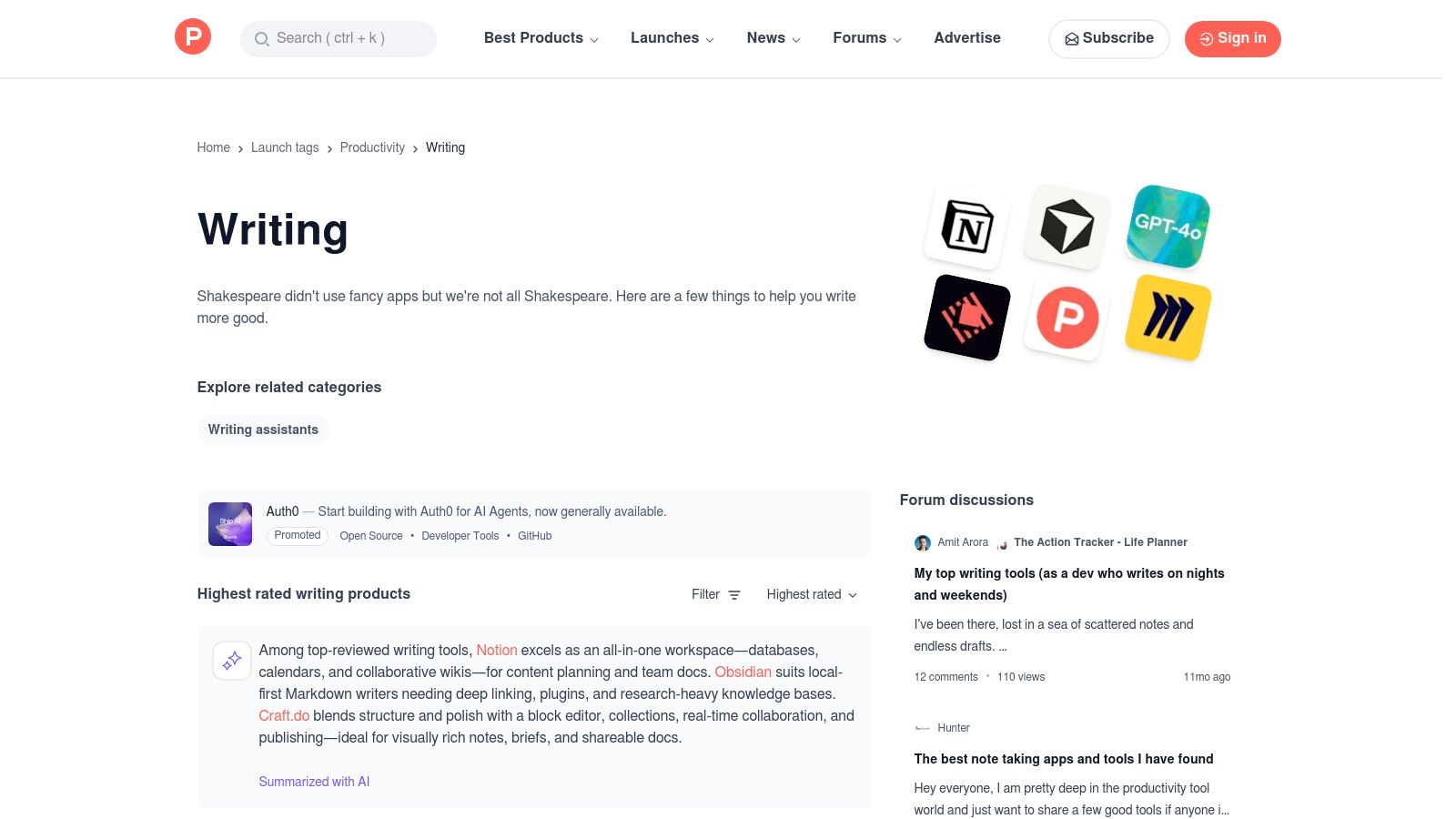
Product Hunt is less a marketplace and more a daily launchpad for what's new and exciting in tech. For content creators, its Writing and AI topics are a goldmine for discovering brand-new tools, often before they hit the mainstream. It’s the perfect place to find innovative apps and get early access deals directly from the founders.
This platform provides a real-time pulse on emerging technology, making it one of the best resources for finding niche AI tools for content creation that solve very specific problems. Instead of established players, you’ll find up-and-coming apps, complete with demos, community discussions, and direct engagement with the creators.
Why It's a Go-To Resource
Product Hunt excels at surfacing innovation. The daily and weekly leaderboards are a fantastic way to spot breakout tools that are gaining traction within the tech community. Founders often post exclusive lifetime deals or discounts for the Product Hunt community, offering a great way to access premium tools affordably.
- Best For: Tech-savvy creators, early adopters, and anyone looking for innovative, niche AI tools and lifetime deals.
- Pro Tip: Follow the "AI" and "Writing" topics and check the daily email digest to stay on top of the most promising new launches without having to browse the site constantly.
Pricing: Free to browse. Pricing for individual tools is set by the vendors, but look for launch-day discounts.
| Pros | Cons |
|---|---|
| Great for early access, discounts, and founder engagement. | Quality varies since many tools are early-stage or in beta. |
| Fast way to sample new categories and niche apps. | Less structured for direct comparison compared to G2 or Capterra. |
Website: https://www.producthunt.com/topics/writing
5. AppSumo — AI software deals
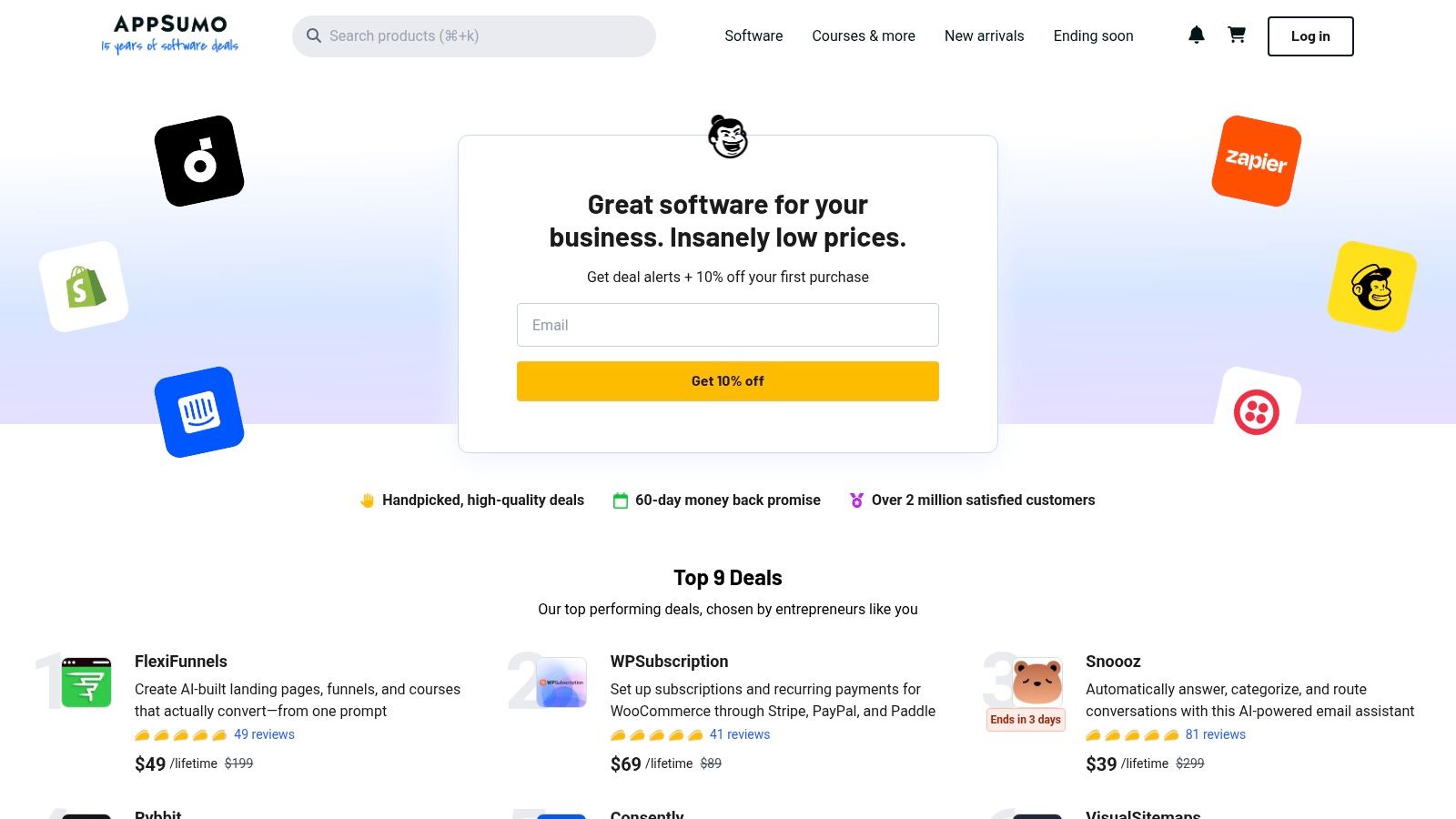
AppSumo isn't a single AI tool but a digital marketplace famous for offering lifetime deals (LTDs) and deep discounts on emerging software. For content creators on a budget, its constantly rotating selection of AI software deals provides an affordable entry point to experiment with new technologies, from AI writers and image generators to video repurposing platforms.
Instead of committing to a costly monthly subscription, you can often secure lifetime access to a promising tool for a one-time fee. This makes it an invaluable resource for trying some of the best AI tools for content creation without the long-term financial risk, allowing you to build a versatile toolkit for less.
Why It's a Go-To Resource
AppSumo’s core value is cost-effective experimentation. The platform allows creators to test drive multiple up-and-coming AI tools for the price of just a few months of a single premium subscription elsewhere. Its generous refund policy (usually 60 days) minimizes the risk of investing in a tool that doesn't fit your workflow.
- Best For: Solo creators, startups, and small businesses wanting to build an AI content toolkit without committing to multiple monthly subscriptions.
- Pro Tip: Read the user reviews and questions on a deal page carefully. The community often uncovers limitations or specific use cases not mentioned in the marketing copy.
Pricing: Varies per deal, often featuring one-time payments for lifetime access or heavily discounted annual plans.
| Pros | Cons |
|---|---|
| Lower upfront cost for testing multiple tools. | Lifetime deals can be risky if tools or terms change. |
| Occasional exclusive features or tiers through deals. | Mixed user reports about the longevity of some LTDs. |
Website: https://appsumo.com/
6. Adobe Firefly — generative AI for images and video
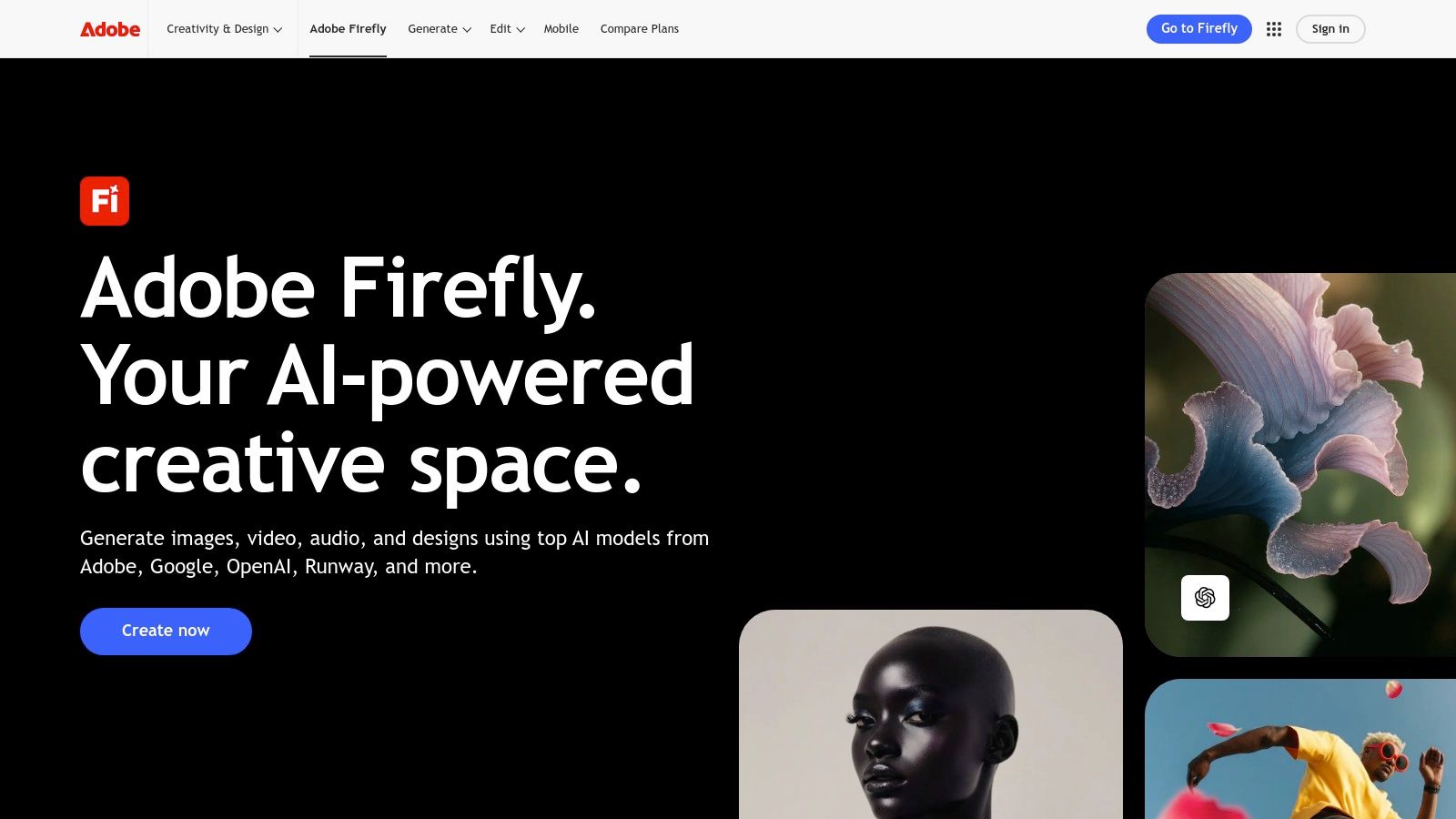
Adobe Firefly is the company’s family of creative generative AI models, designed to be commercially safe and deeply integrated into Creative Cloud workflows. For content creators invested in the Adobe ecosystem, Firefly provides powerful text-to-image generation, generative fill, and text-to-video (in beta) capabilities directly within familiar applications like Photoshop and Premiere Pro.
This integration makes it one of the best AI tools for content creation, as it removes the friction of using separate platforms. You can generate an image or extend a scene with AI and immediately refine it with professional-grade tools, ensuring a seamless and efficient production process. Firefly is trained on Adobe Stock’s licensed library, which means the assets it generates are designed to be free of intellectual property conflicts.
Why It's a Go-To Resource
Firefly’s main advantage is its native integration with Creative Cloud. The ability to use Generative Fill in Photoshop to add, remove, or expand elements in an image without leaving the application is a game-changer for photo editors and graphic designers. This tight handoff streamlines the creative process from ideation to final asset delivery.
- Best For: Professional creators, marketing agencies, and enterprise teams already using Adobe Creative Cloud for their production workflows.
- Pro Tip: Use the Generative Fill feature in Photoshop to quickly create variations of ad creative or social media assets by seamlessly changing backgrounds or adding new product elements.
Pricing: Included with Creative Cloud subscriptions, which operate on a generative credit system. Free plans are also available with a limited number of credits.
| Pros | Cons |
|---|---|
| IP-friendly assets suitable for commercial campaigns. | Credit metering requires cost planning for heavy use. |
| Tight handoff to professional Adobe apps like Photoshop. | Creative Cloud Pro price increases versus older plans. |
Website: https://www.adobe.com/sensei/generative-ai/firefly.html
7. Canva Magic Studio — AI for copy, images, video inside Canva
Canva Magic Studio integrates a full suite of AI tools directly into the platform's world-renowned design interface. It bundles features like Magic Write for copy, Magic Media for image and video generation, and Magic Switch for instant resizing and format conversions. This makes it a one-stop shop for creators who need to produce and repurpose content quickly without juggling multiple applications.
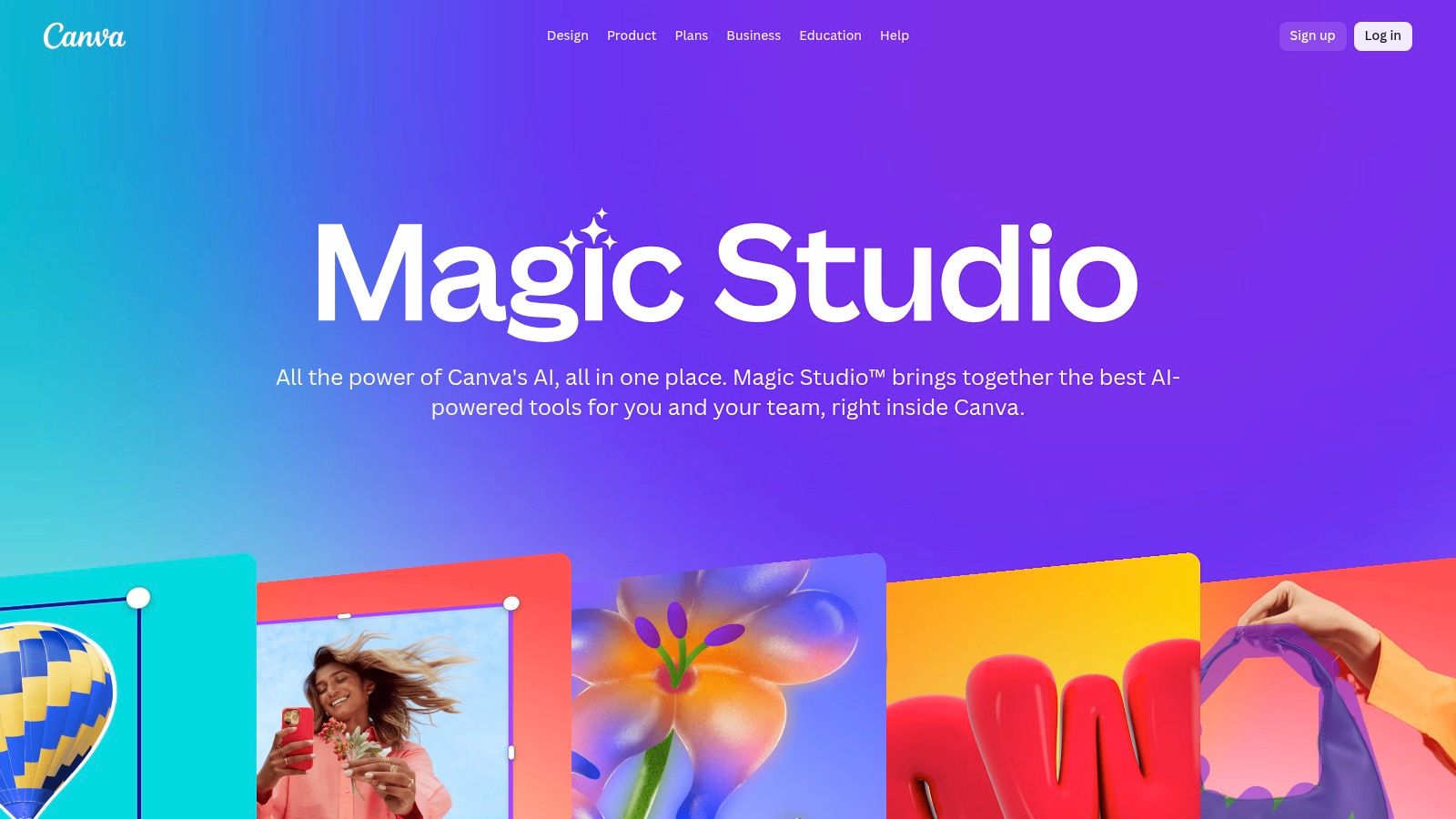
This unified approach is a game-changer for social media teams. You can generate a blog post idea with Magic Write, create corresponding visuals with Magic Media, design it all into a carousel post, and then use Magic Switch to instantly convert it into a TikTok video script and storyboard. Everything stays aligned with your brand kit, ensuring consistency across all assets.
Why It's a Go-To Resource
Canva Magic Studio's core strength is its accessibility and integration. The AI features don't feel like a separate tool but a natural extension of the existing Canva workflow, making it incredibly intuitive for beginners. For content creators looking to streamline their process, it is one of the best AI tools for content creation available today.
- Best For: Social media managers, small business owners, and solo creators who need an all-in-one platform for design, copy, and video.
- Pro Tip: Use Magic Switch to instantly translate your designs and copy into different languages, or transform a presentation into a summary document to quickly expand your content's reach.
Pricing: A free plan is available with limited Magic Studio credits. Paid plans (Pro and Teams) offer significantly more credits and advanced features, starting at $14.99/month.
| Pros | Cons |
|---|---|
| Seamlessly integrated into the familiar Canva interface. | Advanced AI features are limited by a credit system. |
| Massive library of templates and assets speeds up work. | Recent pricing changes for the Teams plan have been unpopular. |
| Strong for team collaboration and brand consistency. | AI-generated designs can sometimes lack unique creative flair. |
Website: https://www.canva.com/magic/
8. Jasper — AI content platform for marketing teams
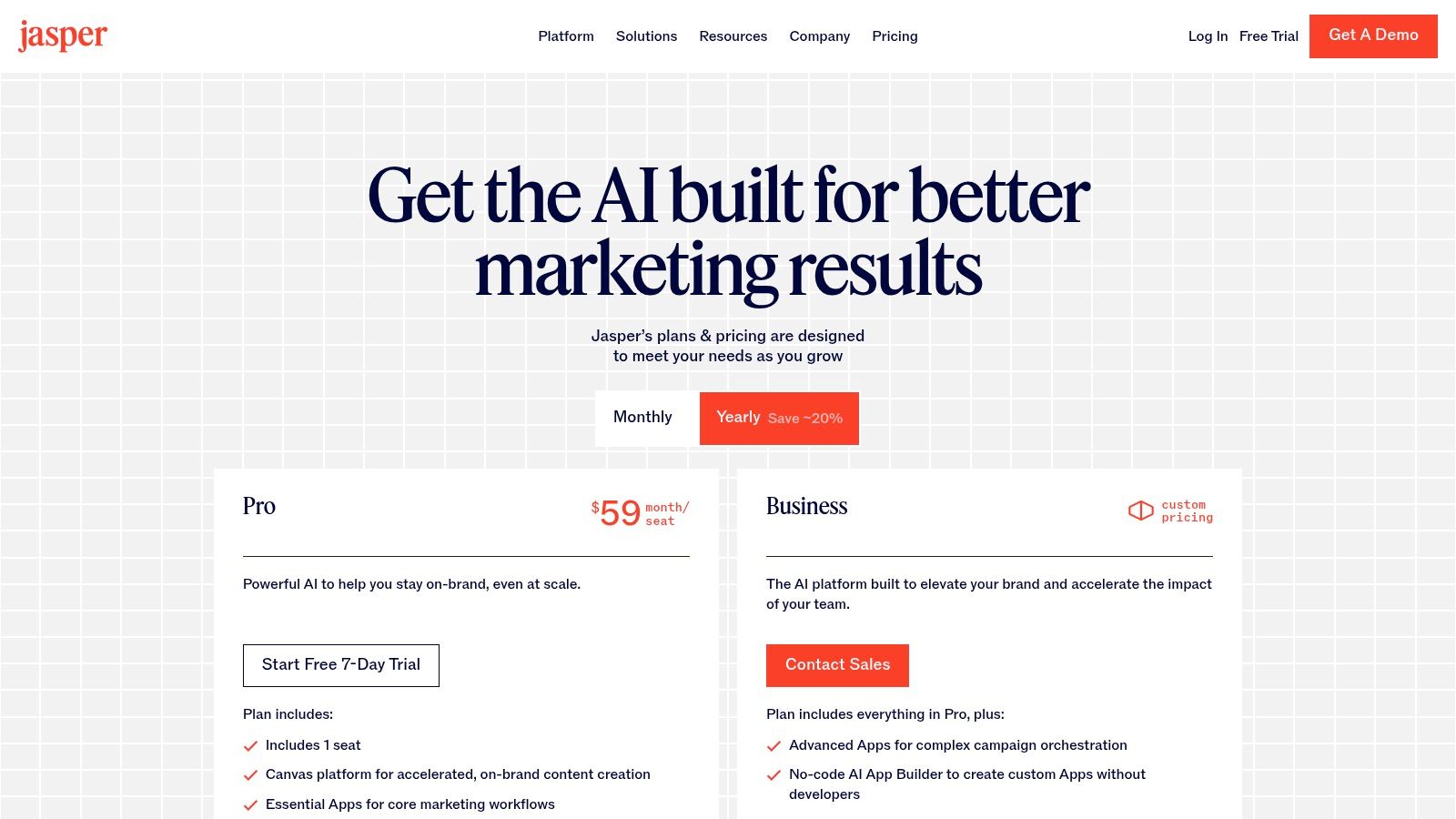
Jasper is an enterprise-grade AI content platform designed specifically for marketing teams that need to create high-volume, on-brand material. Moving beyond a simple AI writer, Jasper integrates features like Brand Voice and Knowledge grounding, ensuring every piece of content, from blog posts to social media ads, aligns perfectly with established company guidelines. It excels at orchestrating entire campaigns from a single hub.
This platform is engineered for collaboration and governance, making it one of the best AI tools for content creation within a corporate or agency setting. Instead of disjointed solo efforts, teams can work within a unified workspace with admin controls, ensuring brand safety and consistency across all outputs. Its campaign-oriented apps and workflows are built to scale content production without sacrificing quality.
Why It's a Go-To Resource
Jasper stands out with its focus on team-based, brand-compliant content generation. The platform’s ability to learn your specific tone, style guides, and product information allows it to produce highly relevant and accurate copy. For teams managing multiple channels, the Canvas workspace and no-code app builder provide powerful tools for creating and repurposing content efficiently. You can learn more about how an AI content generator for social media can streamline these multi-channel workflows.
- Best For: Marketing teams at mid-market to enterprise companies, agencies managing multiple client brands, and businesses requiring strong governance and brand safety controls.
- Pro Tip: Fully populate the Brand Voice and Knowledge sections with your style guides, product specs, and audience personas before generating content. The more context Jasper has, the better and more accurate your results will be.
Pricing: Starts at $39/month (billed annually) for the Creator plan, with Team and Business plans offering more advanced collaboration features and API access.
| Pros | Cons |
|---|---|
| Designed for on-brand content at scale. | Higher pricing compared with basic AI writers. |
| Admin controls and SOC 2 posture for business. | Best value is typically for teams rather than solo users. |
Website: https://www.jasper.ai/pricing
9. Descript — AI video and podcast editor
Descript revolutionizes audio and video editing by treating it like a text document. Instead of wrestling with complex timelines, you edit the auto-generated transcript, and the corresponding media cuts are made automatically. This text-based workflow makes it one of the best AI tools for content creation, especially for creators who are more comfortable with words than waveforms.
The platform is packed with AI features that streamline post-production. Its Studio Sound function can make amateur recordings sound professionally mixed with a single click, while its filler word removal instantly cleans up "ums" and "ahs" from your audio. For repurposing content, its AI can dub your voice into other languages or generate social media clips from long-form videos automatically. It's a powerhouse for anyone looking to produce high-quality content without a steep learning curve, making it a standout among the best video editing apps for TikTok and other platforms.
Why It's a Go-To Resource
Descript’s core strength is turning tedious editing tasks into simple, text-based actions. The ability to create a realistic clone of your own voice for text-to-speech corrections saves countless hours of re-recording. This, combined with its collaborative features, makes it a seamless solution for teams.
- Best For: Podcasters, YouTubers, and social media managers who need to edit spoken-word content and repurpose it quickly for multiple platforms.
- Pro Tip: Use the "Find good clips" AI feature to instantly identify the most engaging moments from a long recording and turn them into shareable short-form videos.
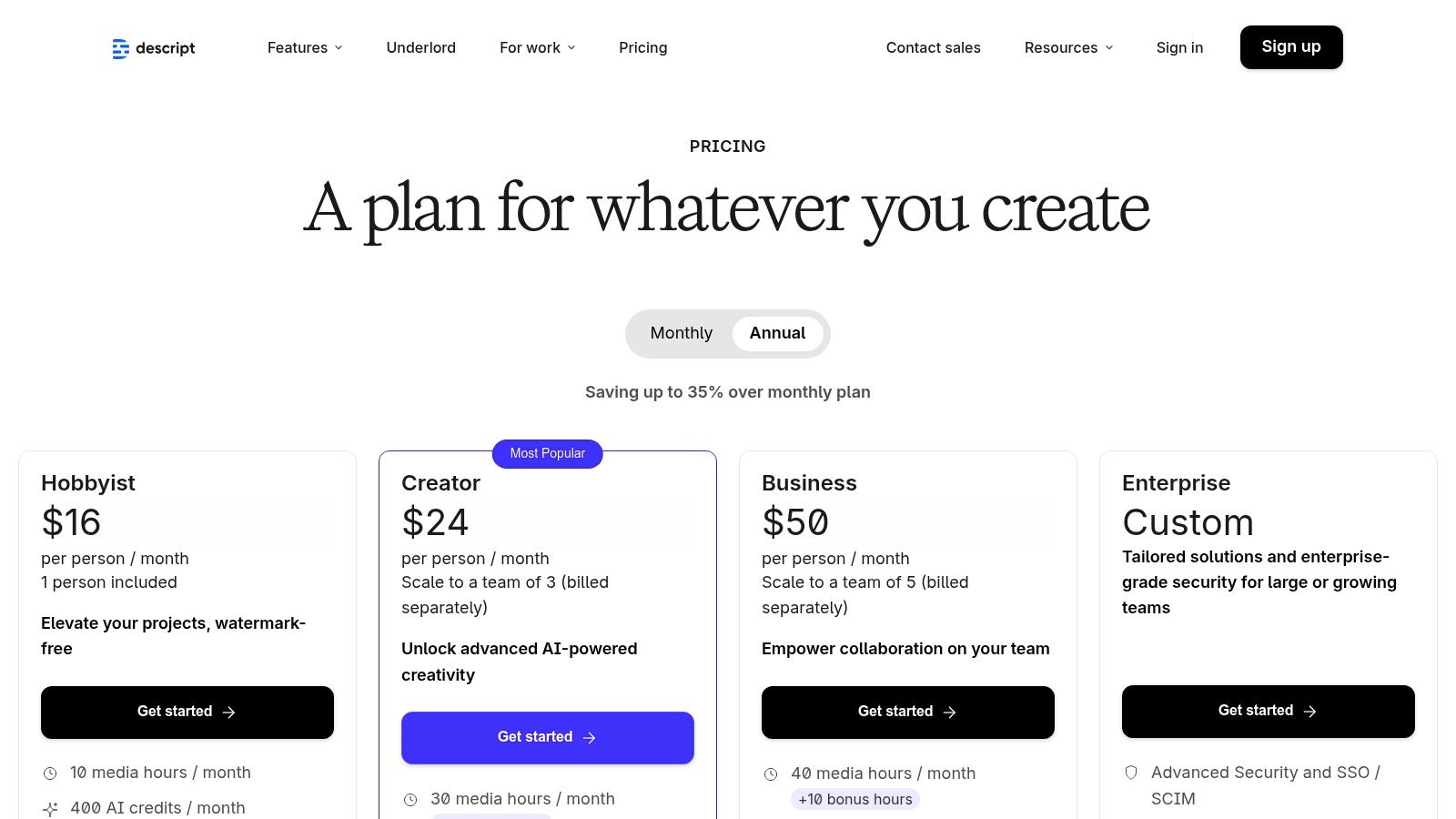
Pricing: Offers a free plan with limited transcription. Paid plans start at $12/month (Creator), $24/month (Pro), and custom pricing for Enterprise.
| Pros | Cons |
|---|---|
| Rapid turnarounds for social cuts and repurposing. | Heavy AI use may require purchasing additional media minutes or credits. |
| Intuitive for non-editors and scales from solo to teams. | Large projects can tax performance on modest hardware. |
Website: https://www.descript.com/pricing
10. Runway — AI video generation and editing
Runway is a comprehensive AI video creation and editing suite, putting cutting-edge generative models like Gen-3 directly into the hands of creators. It excels at transforming text prompts and still images into dynamic, short video clips, making it a powerful tool for producing eye-catching ads, stylized product shots, and experimental B-roll for social media platforms.
The platform is designed for rapid iteration, allowing you to quickly generate concepts and refine them within its web-based editor. Features like video upscaling and performance capture further expand its creative potential, bridging the gap between simple generation and professional-grade video production. For creators looking to explore the frontiers of AI video, Runway offers one of the most advanced and accessible toolkits available.
Why It's a Go-To Resource
Runway’s strength lies in its blend of powerful AI models and a user-friendly credit system that provides clear cost transparency. You know exactly how many seconds of video each credit buys, which is crucial for managing project budgets. The availability of high-performance "Turbo" models also allows for faster, more cost-effective experimentation during the initial ideation phase.
- Best For: Social media managers, agencies, and creators experimenting with AI-native video for short-form content on platforms like TikTok and Instagram.
- Pro Tip: Start with a high-quality reference image to guide the AI. This often produces more consistent and brand-aligned results than relying on text prompts alone, especially for product-focused videos.
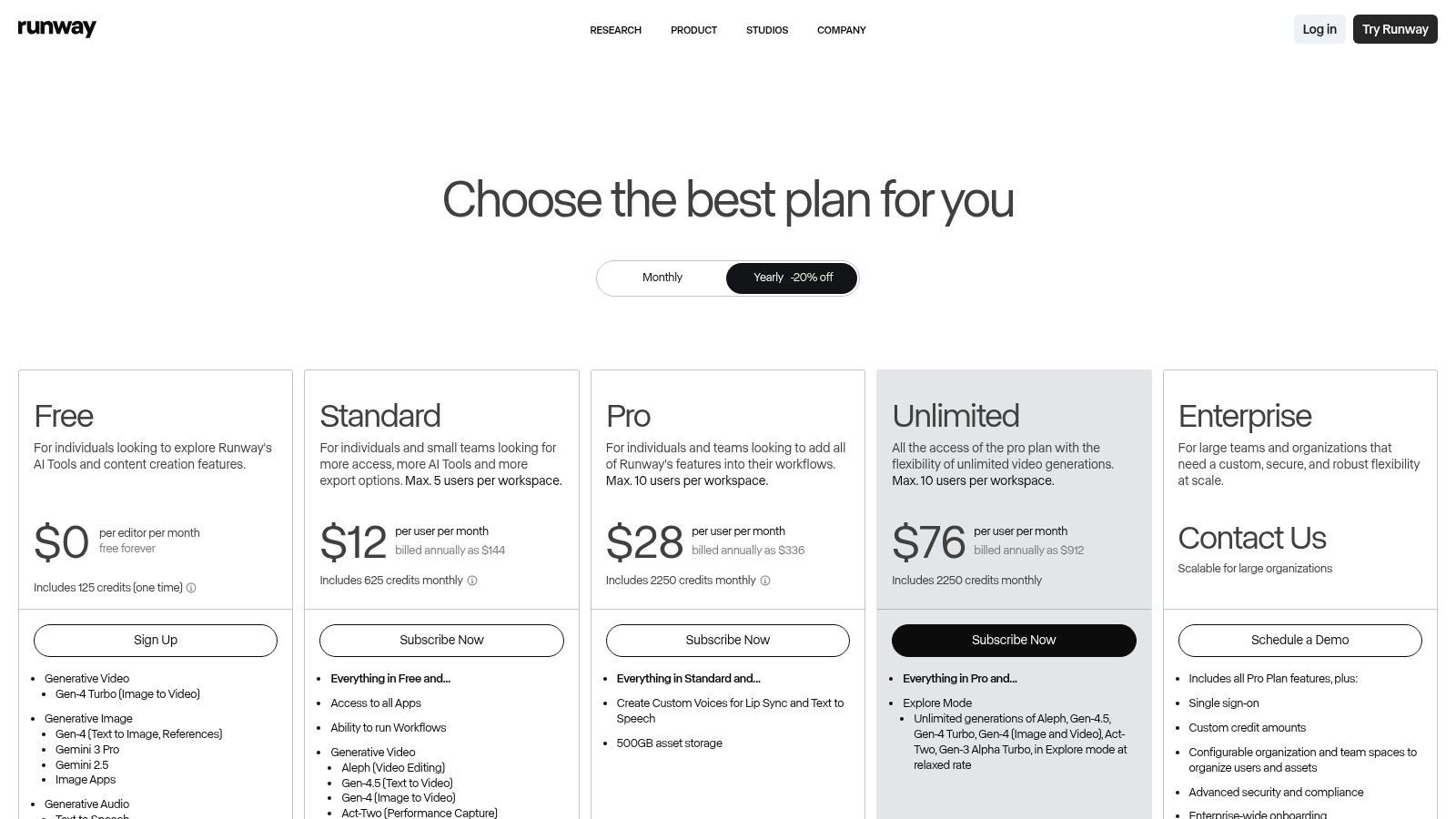
Pricing: Offers a free tier with limited credits. Paid plans start at $12 per user/month (billed annually) for more credits and access to advanced features.
| Pros | Cons |
|---|---|
| Fast iteration with high-performance Turbo models. | Credits can add up quickly for longer, high-quality outputs. |
| Clear credits-to-seconds mapping for budgeting. | Requires prompt and reference craft to match a specific brand style. |
Website: https://runwayml.com/pricing
11. OpenAI — ChatGPT (Plus/Pro/Business/Enterprise)
OpenAI’s ChatGPT is a foundational general-purpose AI assistant that excels at ideation, scriptwriting, research, and generating caption variations. Its ability to process text, images, files, and voice commands makes it a versatile baseline tool for any content creator's toolkit, acting as the starting block for countless creative projects before moving to more specialized design and video tools.
It has become the go-to platform for brainstorming initial video concepts, drafting detailed outlines, and refining scripts. For content creators, it serves as an invaluable partner, capable of quickly producing multiple versions of a post, analyzing audience feedback, or even suggesting content calendars.
Why It's a Go-To Resource
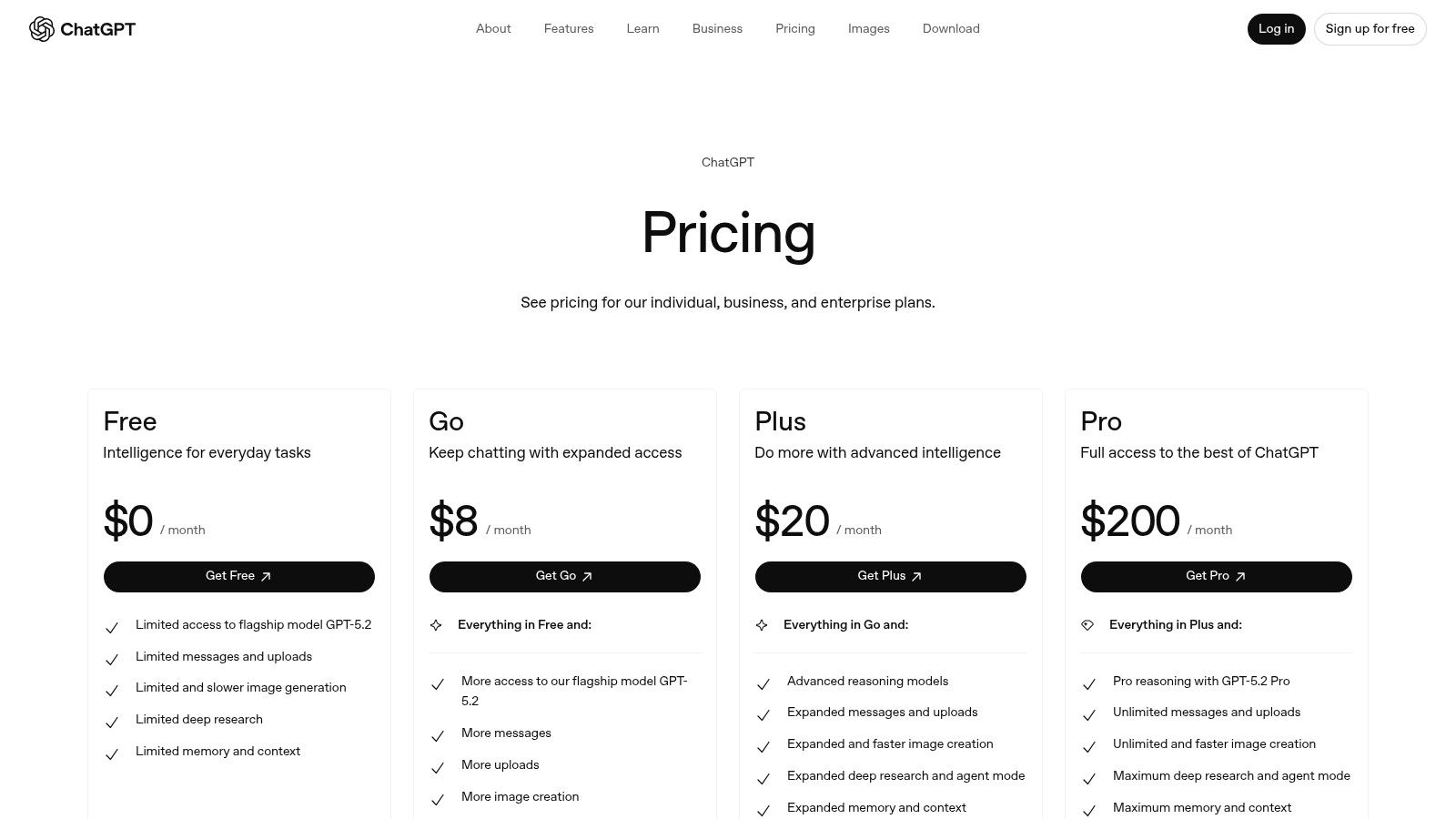
ChatGPT's strength lies in its conversational flexibility and powerful models. The paid tiers unlock access to more advanced models like GPT-4, longer context windows, and the ability to create custom GPTs tailored to specific tasks like "TikTok caption writer." Business and Enterprise plans add crucial team collaboration features and data security controls, ensuring sensitive brand information is not used for model training.
- Best For: Solo creators, social media managers, and teams needing a powerful, all-purpose assistant for brainstorming, drafting, and research.
- Pro Tip: Use the voice input feature on the mobile app to brainstorm ideas on the go. You can have a verbal conversation to quickly flesh out a video concept without typing a word.
Pricing: Offers a free version with limitations. Paid plans like Plus ($20/user/month), Team ($25/user/month), and custom Enterprise pricing unlock advanced models, higher usage limits, and business features.
| Pros | Cons |
|---|---|
| Extremely versatile for drafts and brainstorming across formats. | Outputs require brand/style editing before publishing. |
| Business plans offer strong data-handling controls (no training by default). | Model limits and features vary significantly by plan. |
Website: https://openai.com/chatgpt/pricing/
12. Kapwing — browser-based AI video editor
Kapwing is a powerful, online video editor designed for speed and collaboration, making it ideal for creating social media content. Its AI-driven features, like automatic subtitle generation, clip cutting, and multilingual dubbing, streamline the post-production process. This allows teams to produce polished videos directly in their browser without installing heavy software.
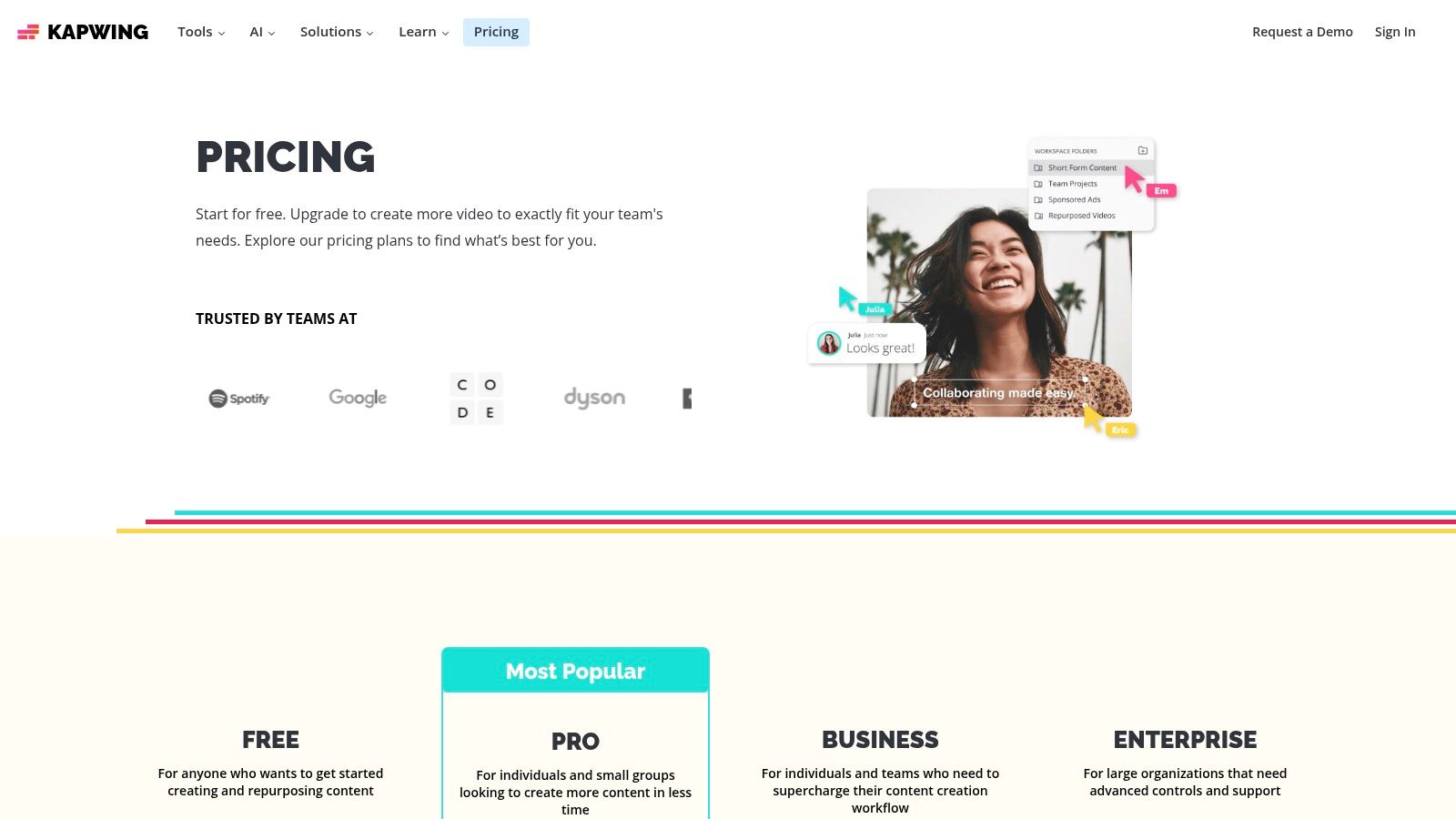
As one of the best AI tools for content creation, Kapwing excels at repurposing content for platforms like TikTok and Instagram Reels. The shared workspace, brand kit, and template library ensure brand consistency and efficient workflows, especially for social media managers and marketing agencies handling multiple accounts.
Why It's a Go-To Resource
Kapwing’s accessibility and user-friendly interface lower the barrier to entry for professional-quality video editing. The AI "Smart Cut" feature automatically removes silences, saving significant time. Its AI-powered dubbing and subtitling tools are particularly effective for reaching a global audience with localized content.
- Best For: Social media managers, small business owners, and content teams needing a fast, collaborative video editor for short-form content.
- Pro Tip: Use the AI script generator to brainstorm video ideas and then directly edit the generated script within the video timeline to make precise cuts to your footage.
Pricing: Free plan available with watermarks. The Pro plan is $16/month (billed annually) and includes 4K exports and AI tools.
| Pros | Cons |
|---|---|
| Simple learning curve and affordable pro plan. | High-volume AI use consumes credits quickly. |
| Effective subtitle/dubbing for TikTok/Shorts. | Fewer deep visual effects than desktop NLEs. |
Website: https://www.kapwing.com/pricing
Top 12 AI Content Tools — Feature & Pricing Snapshot
| Product | Core features ✨ | Quality ★ | Target audience 👥 | Pricing/Value 💰 |
|---|---|---|---|---|
| Viral.new 🏆 | Daily AI TikTok prompts tailored to niche (hooks, sounds, formats) delivered to inbox | ★★★★★ 4.9/5 | 👥 Solo creators, social managers, agencies, small brands | 💰 Subscription — check plans; high ROI (saves planning time) |
| G2 — AI Writing Assistants | Aggregated verified reviews, filters, side-by-side vendor comparisons | ★★★★ High review volume | 👥 Buyers, procurement, teams researching tools | 💰 Free to browse; vendor pricing on vendor sites |
| Capterra — Shortlist & directories | Vendor profiles, "from" pricing, Shortlist reports and feature checklists | ★★★★ Neutral directory coverage | 👥 Buyers, analysts, SMB decision-makers | 💰 Free listings; shows starting prices |
| Product Hunt — Writing/AI topics | Launch pages, demos, community feedback, leaderboards for new tools | ★★★ Varied (early-stage tools) | 👥 Early adopters, founders, testers | 💰 Free discovery; links to vendor offers |
| AppSumo — AI software deals | Curated deal drops, lifetime or credit-based offers, refunds window | ★★★ Cost-savvy option | 👥 Bootstrappers, experimenters, bargain hunters | 💰 Deal-based (LTDs); lower upfront cost, variable longevity |
| Adobe Firefly | Text-to-image/video (beta), generative fill, Photoshop/Premiere integration | ★★★★ Enterprise-grade assets | 👥 Designers, brands, enterprise creative teams | 💰 Credit-based + Creative Cloud plans |
| Canva Magic Studio | Unified AI for copy, design, video; templates, brand-kit alignment | ★★★★ Easy-to-use for teams | 👥 Social teams, marketers, small businesses | 💰 Freemium → paid plans/credits |
| Jasper — Content platform | Brand voice, knowledge grounding, campaign workflows, governance | ★★★★ Team-focused, brand-safe | 👥 Marketing teams, agencies | 💰 Higher-priced team tiers |
| Descript — Video & podcast editor | Text-based editing, dubbing, TTS, Studio Sound, quick social cuts | ★★★★ Fast repurposing for creators | 👥 Podcasters, video editors, creators | 💰 Tiered plans; media minutes/credits may apply |
| Runway — Generative video | State-of-the-art video models, web editor, upscaling, credits system | ★★★★ High-quality AI video | 👥 Creators experimenting with AI video | 💰 Credit-based — can be costly for long outputs |
| OpenAI — ChatGPT (Plus/Pro/Business) | Multi-model ideation, custom GPTs, files/images/voice support | ★★★★☆ Extremely versatile | 👥 Everyone — creators, teams, researchers | 💰 Freemium + paid tiers (Plus/Pro/Business) |
| Kapwing — Browser AI editor | Web-based editor, auto-subtitles, dubbing, brand kits, templates | ★★★★ Effective for social workflows | 👥 Social creators, small teams | 💰 Affordable pro; AI actions use credits |
Building Your Ultimate AI Content Stack
We've journeyed through a comprehensive landscape of the best AI tools for content creation, from specialized video editors like Descript and Runway to all-in-one design suites like Canva Magic Studio. The sheer volume of options can feel overwhelming, but the goal isn't to adopt every tool listed. Instead, the real power lies in strategically assembling a personalized "stack" that supercharges your unique workflow.
The core takeaway is this: there is no single "best" AI tool, only the best tool for you. A large marketing agency will find immense value in Jasper's brand voice features and collaborative platform, while a solo creator's budget and workflow are better served by more nimble, specialized applications. Your perfect stack is a direct reflection of your goals, team size, and most significant content creation bottlenecks.
How to Choose Your AI Content Toolkit
To move from analysis to action, you need a clear framework for selecting and implementing these tools. Avoid the temptation to subscribe to everything at once. Instead, follow a deliberate, problem-first approach.
Start by auditing your current content creation process. Where do you spend the most time or face the most friction?
- Is it Ideation? If you struggle daily to come up with fresh, relevant ideas, especially for platforms like TikTok, then your first and most crucial investment should be an idea generator. This is the top of the funnel; without a strong idea, the rest of the process falters.
- Is it Scripting and Writing? If you have ideas but find it hard to translate them into compelling scripts, captions, or blog posts, a powerful AI writer is your next logical step.
- Is it Production and Editing? If you're bogged down by the technical aspects of video editing, image creation, or voiceovers, then AI-powered editors like Descript or image generators like Adobe Firefly will deliver the biggest return on your investment.
Building Your Stack: A Practical Framework
Once you've identified your primary bottleneck, select a "hero" tool to solve that one problem. For the vast majority of short-form video creators, this hero tool should focus on ideation. A daily feed of trend-aligned, data-driven ideas is the fuel that powers the entire content engine.
From there, you can layer on complementary tools. A powerful, yet streamlined stack for a TikTok creator might look like this:
- Core Ideation: A daily idea generator to ensure you never run out of relevant content concepts.
- Core Editing: A user-friendly, AI-assisted video editor to speed up cuts, add captions, and polish your final product.
- Supporting Visuals: An AI image or design tool for creating custom thumbnails, overlays, or supplementary graphics.
This modular approach allows you to build a powerful, cost-effective system that grows with you. Start with what you need most, master it, and then expand. Remember to leverage free trials and starter plans to test how a tool integrates into your actual day-to-day work before committing to a paid subscription.
The Future is a Human-AI Partnership
Ultimately, the most effective creators won't be replaced by AI; they will be the ones who masterfully leverage it. These tools are not here to automate creativity out of existence. They are here to handle the repetitive, time-consuming tasks, freeing you up to focus on the strategic, human elements that truly connect with an audience: your unique perspective, your personality, and your storytelling. By thoughtfully curating your personal AI content stack, you're not just saving time. You are building a more efficient, scalable, and impactful content creation machine.
Ready to eliminate your biggest content bottleneck and never run out of TikTok ideas again? Viral.new delivers daily, trend-aligned video concepts directly to you, making it one of the most powerful and essential of all the best AI tools for content creation. Start your journey to consistent, viral-worthy content by visiting Viral.new today.
