

Managing social media for multiple clients is a complex balancing act. Juggling dozens of accounts, scheduling content across various platforms, coordinating with team members, and delivering clear, impactful client reports can quickly become overwhelming. Without the right system, agencies risk missed deadlines, inconsistent branding, and inefficient workflows that eat into profitability. The core problem isn't a lack of effort; it's the operational drag of manual processes.
This guide is built to solve that problem by providing a detailed breakdown of the best social media management tools for agencies. We move beyond generic feature lists to give you a clear, honest assessment of what each platform offers specifically for an agency model. You’ll find an in-depth analysis of 12 top-tier tools, including Sprout Social, Agorapulse, and Sendible, each evaluated on criteria crucial for agency success.
Inside this resource, you will discover:
- Agency-Specific Use Cases: How to leverage each tool for multi-client content calendars, approval workflows, and team collaboration.
- In-Depth Feature Analysis: A close look at standout features like white-label reporting, client-facing dashboards, and robust scheduling for platforms like TikTok and Instagram Reels.
- Practical Pros and Cons: An unbiased look at each tool's strengths and limitations to help you make an informed decision.
- Pricing and Plan Breakdowns: Clear explanations of agency-focused pricing tiers to match your budget and client load.
For agencies looking to optimize their workflow and explore a broader range of functionalities beyond core management, consider these Top 12 Social Media Automation Tools to Use in 2025. Our goal is to equip you with the insights needed to select a platform that not only streamlines your operations but also helps you deliver exceptional results and scale your agency effectively. Each review includes screenshots and direct links to help you explore further.
1. Viral.new
Best for: Agencies needing a consistent, trend-driven idea pipeline for short-form video content.
Viral.new positions itself as a critical upstream component of an agency's creative workflow, tackling the persistent challenge of content ideation for TikTok and other short-form video platforms. Instead of providing scheduling or analytics, it serves as an AI-powered daily idea engine. It delivers ready-to-shoot, trend-aligned video prompts directly to your inbox, designed to eliminate creative block and fill your clients' content calendars with high-potential concepts. This makes it an invaluable asset for agencies managing multiple client accounts, ensuring a steady flow of relevant ideas without exhaustive manual trend research.
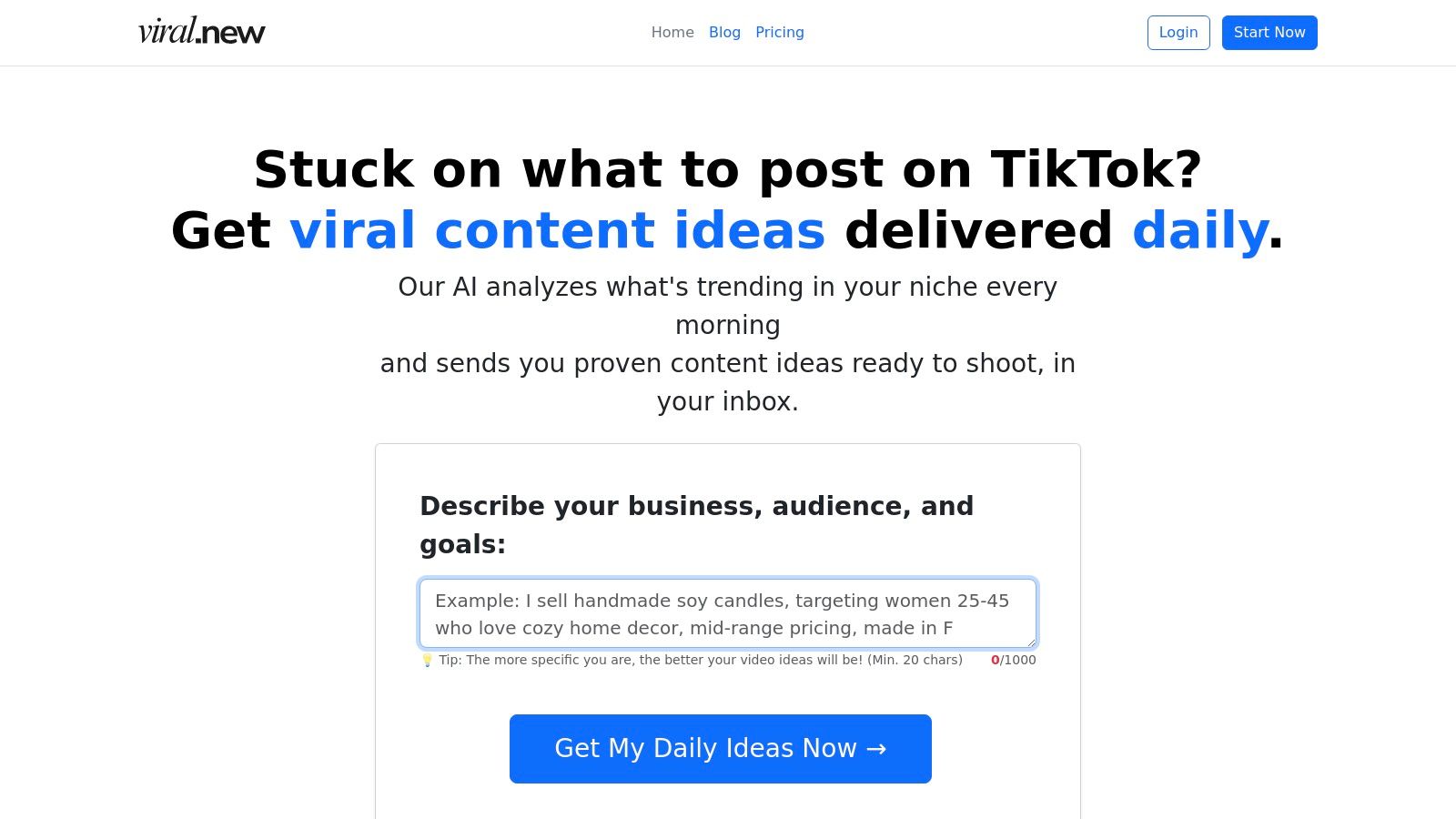
The platform's strength lies in its tailored approach. By analyzing a brief you provide (20-1000 characters) about your client's niche, audience, and goals, Viral.new translates fast-moving sounds, formats, and seasonal trends into actionable prompts. This focus on proven hooks and conversion-friendly angles helps agencies create content that not only engages but also supports business objectives.
Key Agency-Focused Features & Use Cases
- Scalable Ideation: An agency managing 10+ clients can create a unique brief for each, receiving customized, niche-specific ideas daily. This massively reduces the time account managers spend on trend-spotting and brainstorming.
- Trend-Informed Content Strategy: Viral.new scans what's currently performing, allowing your agency to capitalize on emerging trends for clients quickly and effectively. The ideas incorporate trending sounds and formats, keeping content fresh and relevant.
- Lightweight Onboarding: The simple setup process allows agencies to integrate new clients into their ideation workflow almost instantly, making it a highly efficient tool for team-wide adoption.
- Broad Niche Coverage: From local service businesses to global e-commerce brands, the tool adapts its suggestions, providing a versatile solution for diverse client rosters.
Pricing, Pros & Cons
Pricing: Specific pricing and plan details are not publicly available on the website. Access to this information requires signing up for the service, which is structured as a subscription.
| Pros | Cons |
|---|---|
| Delivers daily, trend-aligned ideas directly to your inbox, keeping content calendars full. | Pricing is not transparent; requires signup to view plans and costs. |
| Tailors prompts to specific client niches, goals, and audience intent for more relevant content. | Functions purely as an idea generator; does not include production, scheduling, or analytics features. |
| Focuses on proven formats and hooks designed to increase watch time and engagement. | The quality of the output is dependent on the clarity and detail of the initial brief provided by the user. |
| Strong social proof with a 4.9/5 user rating and a stated user base of over 100 creators. |
Visit Website: https://viral.new
2. Sprout Social
Sprout Social is an enterprise-level platform that positions itself as one of the best social media management tools for agencies managing complex client portfolios. Its strength lies in combining publishing, engagement, deep analytics, and social listening into a single, cohesive interface. For agencies, this means a unified workflow where you can schedule content, respond to comments, and pull detailed client-ready reports without juggling multiple tools.
The platform excels at collaboration and reporting. Its Smart Inbox centralizes all incoming messages and allows for custom tagging and routing, ensuring the right team member handles each interaction. The reporting suite is exceptionally robust, offering competitive analysis, paid performance insights, and customizable report templates that make demonstrating ROI to clients straightforward and professional. This level of detail is crucial for agencies needing to justify their impact.
Key Features & Agency Use Cases
- Publishing & Calendar: The content calendar provides a holistic view of all client accounts. An "Optimal Send Times" feature suggests the best times to post based on audience engagement, taking the guesswork out of scheduling.
- Smart Inbox: Agencies can create custom workflows to tag messages by client, sentiment, or campaign, then automatically assign them to specific account managers.
- Analytics Suite: Go beyond basic metrics with competitive and paid performance reports. The tag-level reporting helps analyze specific campaign effectiveness across multiple clients.
- AI Assist: This new feature helps teams quickly draft post variations or generate thoughtful replies, speeding up content creation and engagement.
Pricing and Limitations
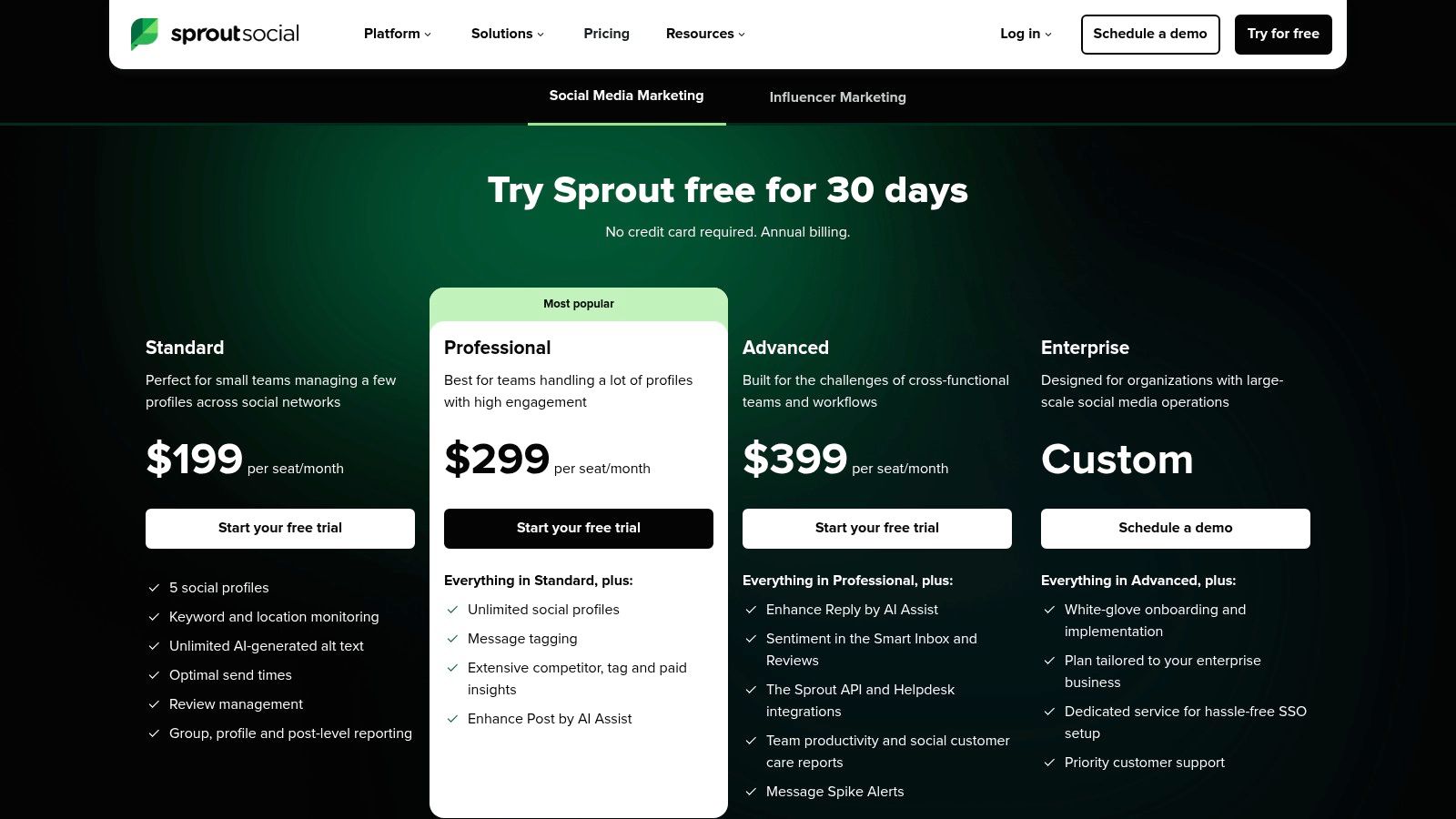
Sprout Social's pricing starts with the Standard plan at $249 per month for one user. The Professional plan is $399 per month. Its per-seat pricing model can become costly for larger agency teams. While agency-specific partnership programs and discounts exist, they aren't publicly listed and require a sales consultation.
For agencies focused on building a solid content foundation, it's wise to complement a powerful tool like Sprout with a strong strategy. For more tips on this, you can learn how to plan social media content effectively.
Visit Sprout Social
3. Hootsuite
Hootsuite is one of the most established social media management tools for agencies, known for its comprehensive dashboard that handles everything from scheduling and monitoring to analytics. Its core strength for agencies lies in its organizational structure, allowing you to manage multiple clients and team members with granular permissions, ensuring brand safety and efficient workflow delegation. The platform provides a bird's-eye view of all scheduled and published content across various client profiles.
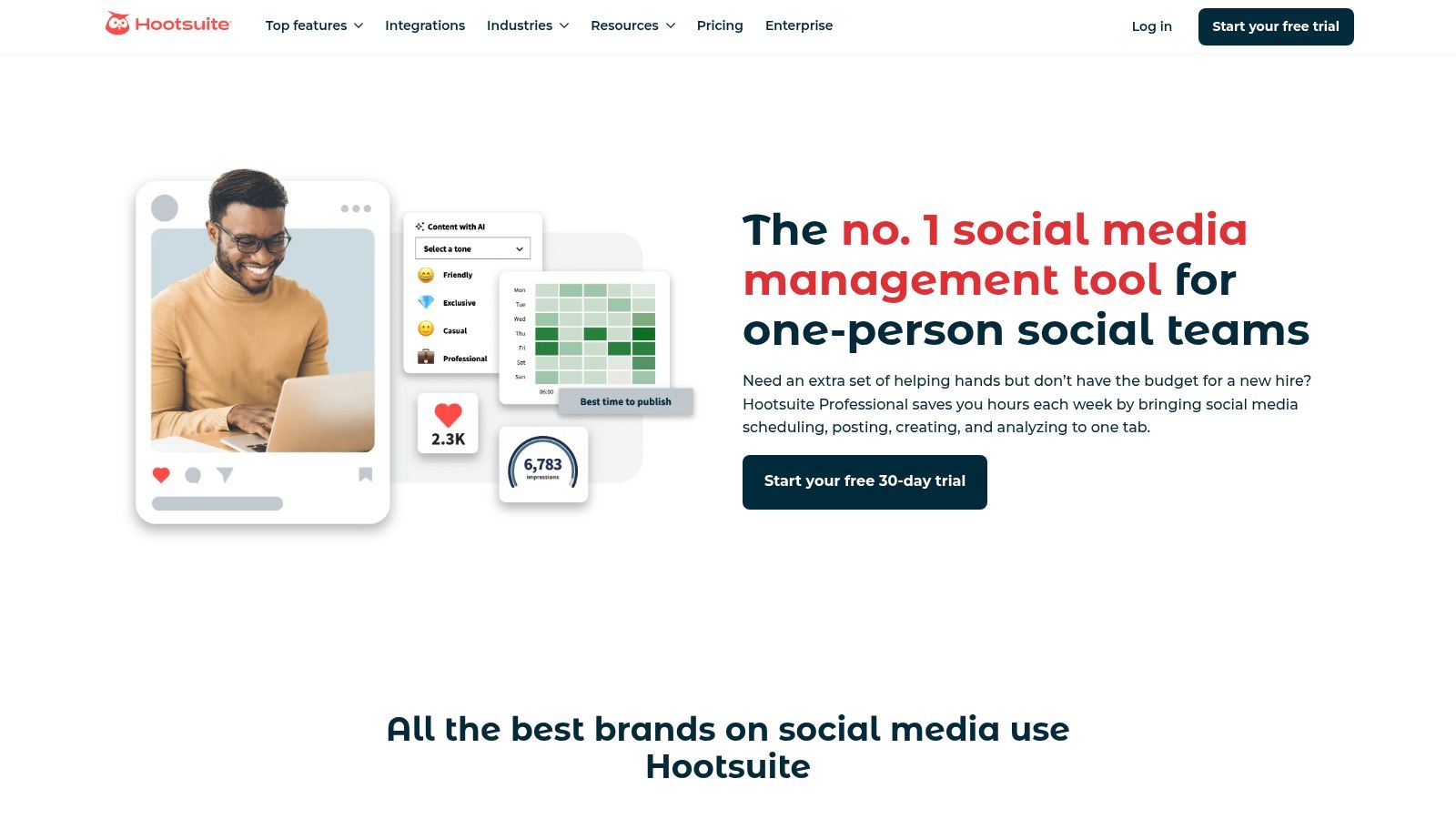
The platform is particularly effective for agencies that need a straightforward, scalable solution for team collaboration. Setting up teams, assigning roles, and creating approval workflows is intuitive, which helps onboard new clients or team members quickly. Its integrated inbox centralizes comments and messages from various platforms, allowing account managers to engage audiences without logging into each native app. This unified approach saves significant time and prevents missed conversations.
Key Features & Agency Use Cases
- Unlimited Scheduling: Agencies can plan and schedule an unlimited number of posts across all client accounts, using the "Best Time to Post" feature to maximize reach and engagement.
- Team & Organization Management: Create specific teams for each client, assign roles like editor or approver, and establish multi-step approval workflows to maintain content quality and brand voice.
- Unified Inbox: Manage comments, mentions, and direct messages from a single stream. Use automations and saved replies to handle common inquiries efficiently across the client roster.
- Competitive & Sentiment Analysis: Monitor competitors and track brand sentiment for clients, providing valuable insights for strategy adjustments and demonstrating market awareness in reports.
Pricing and Limitations
Hootsuite’s Professional plan starts at $99 per month for one user and 10 social accounts. The Team plan, better suited for agencies, is $249 per month for three users and 20 accounts. Pricing can escalate quickly as you add more users, and some of the more advanced analytics and social listening features are reserved for the much pricier Business and Enterprise tiers.
Visit Hootsuite
4. Agorapulse
Agorapulse is a social media management tool designed with agencies in mind, focusing on efficient team collaboration and simplified client management. It consolidates publishing, engagement, reporting, and monitoring into one platform, offering a balanced suite of features that are both powerful and user-friendly. For agencies juggling numerous client accounts, Agorapulse provides a streamlined workflow to manage social profiles without the complexity of enterprise-level software.
The platform's standout strength is its client-centric features. Shared calendars allow external stakeholders to review, comment on, and approve scheduled content, eliminating endless email chains and creating a transparent approval process. Its unified Social Inbox uses automation rules to assign conversations, hide spam, and ensure that no client message is missed. This combination of publishing efficiency and robust inbox management makes it one of the most practical social media management tools for agencies focused on delivering excellent client service.
Key Features & Agency Use Cases
- Shared Calendars: Provide clients with a live, read-only link to their content calendar. This feature is perfect for getting approvals without giving clients full access to the platform.
- Unified Social Inbox: Manage all comments, DMs, and mentions from one place. Agencies can use automated moderation rules to filter out spam or assign specific keywords to an account manager.
- Advanced Reporting: Generate white-label, customizable reports that can be exported as PDFs or PowerPoints. Schedule reports to be sent automatically to clients on a weekly or monthly basis.
- Publishing & Queues: Use content queues to categorize posts (e.g., evergreen, promotional) and set a publishing schedule. The bulk upload feature and Canva integration speed up content creation across multiple accounts.
Pricing and Limitations
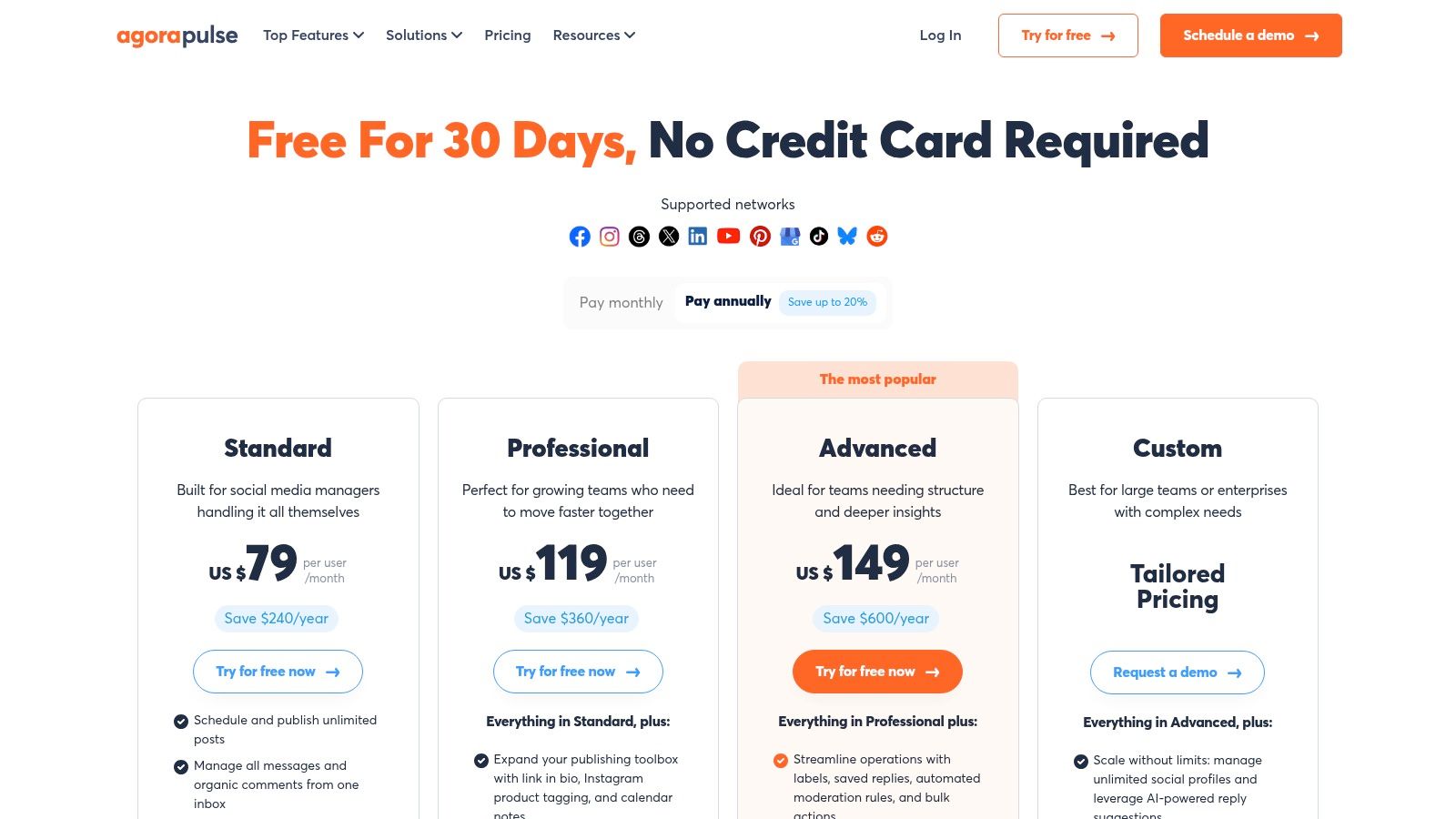
Agorapulse offers several tiers, with its Advanced plan starting at $239 per month for two users. Its pricing structure is based on the number of users and social profiles, which can become costly for larger agencies. While the base plans are comprehensive, some advanced features like Power Reports and a higher ad comment monitoring limit are reserved for more expensive tiers.
The platform includes listening features, but to fully leverage them, it's helpful to understand how social media listening can increase customer advocacy.
Visit Agorapulse
5. Sendible
Sendible is a social media management platform designed from the ground up for agencies, offering a powerful combination of features at a competitive price point. It balances robust scheduling, collaboration, and reporting capabilities with agency-specific tools like client dashboards and white-labeling options. For agencies juggling multiple clients, Sendible simplifies workflows by consolidating content planning, approval processes, and client reporting into one centralized hub.
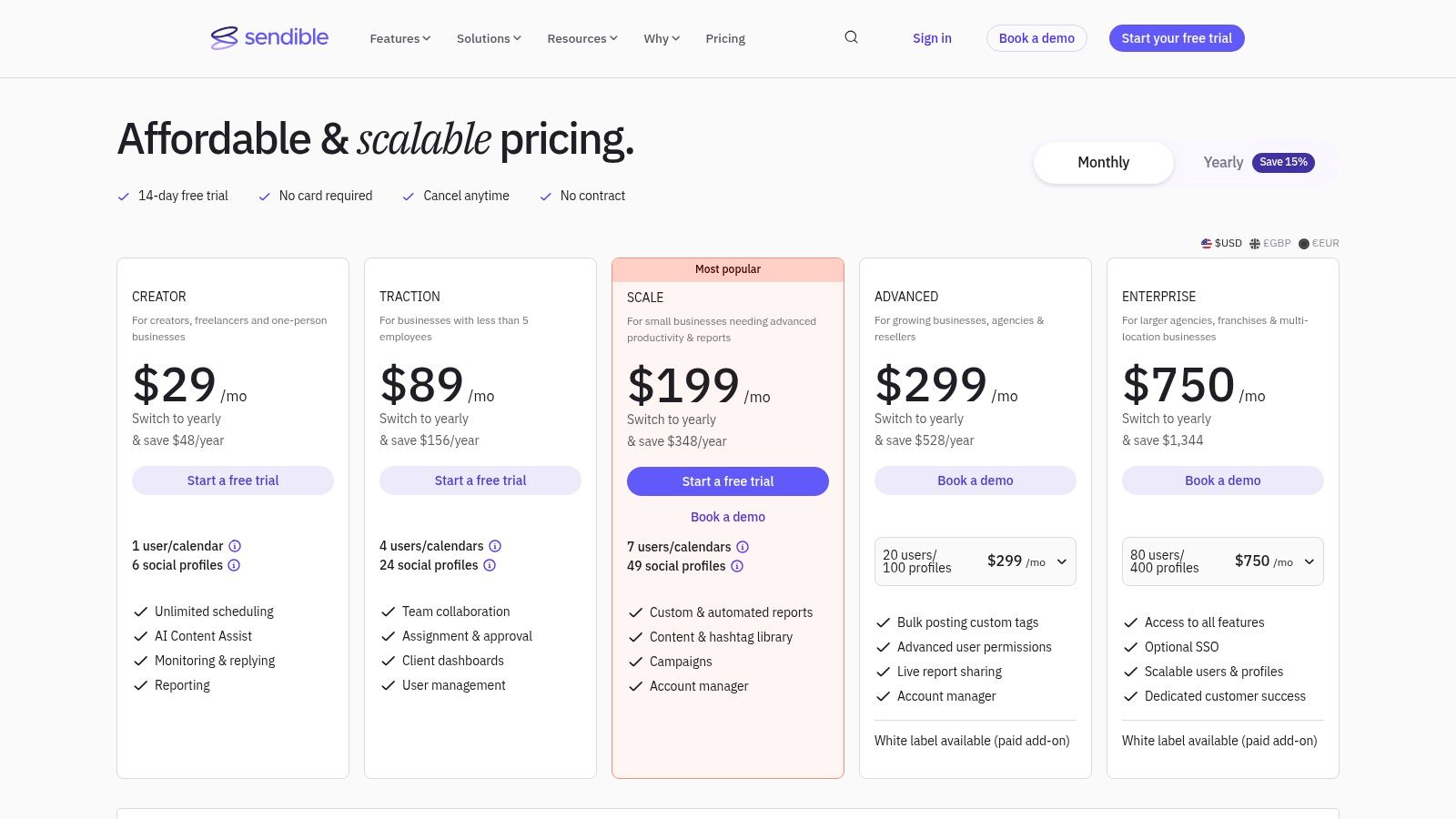
The platform's standout feature for agencies is its client management functionality. You can create secure, sandboxed environments for each client, granting them access to their specific dashboards and reports without exposing other client data. This fosters transparency and collaboration while maintaining professional boundaries. The reporting engine is flexible, allowing agencies to build custom, automated reports that can be sent directly to clients, proving value and impact with minimal manual effort.
Key Features & Agency Use Cases
- Client Dashboards & User Management: Create dedicated workspaces for each client, complete with custom user permissions. Grant clients read-only access to their content calendar or allow them to approve posts directly within the platform.
- Team Collaboration: Use built-in approval workflows to ensure content quality. Team members can leave notes on posts, and managers can assign tasks to specific users.
- Direct Publishing & Integrations: Schedule and post directly to major networks, including TikTok, Instagram, and Google Business Profile. Integrates with cloud storage like Dropbox and Google Drive.
- White-Labeling: Higher-tier plans offer white-labeling, allowing agencies to brand the entire platform with their own logo and colors for a seamless client experience.
Pricing and Limitations
Sendible offers several plans, with the Creator plan starting at $29 per month for 1 user. Agency-focused plans start with the White Label plan at $280 per month for 10 users. Its user-friendly pricing structure makes it one of the more accessible social media management tools for agencies. A key limitation is that its support operates primarily on UK business hours, which can be a drawback for agencies in other time zones needing immediate assistance.
Visit Sendible
6. SocialPilot
SocialPilot is one of the most cost-effective social media management tools for agencies, specifically designed for those managing a large volume of client profiles. Its core value proposition is scalability, offering generous user and account limits without the enterprise-level price tag. The platform provides a full suite of features including publishing, analytics, and engagement tools, making it a powerful yet budget-friendly choice for growing agencies.
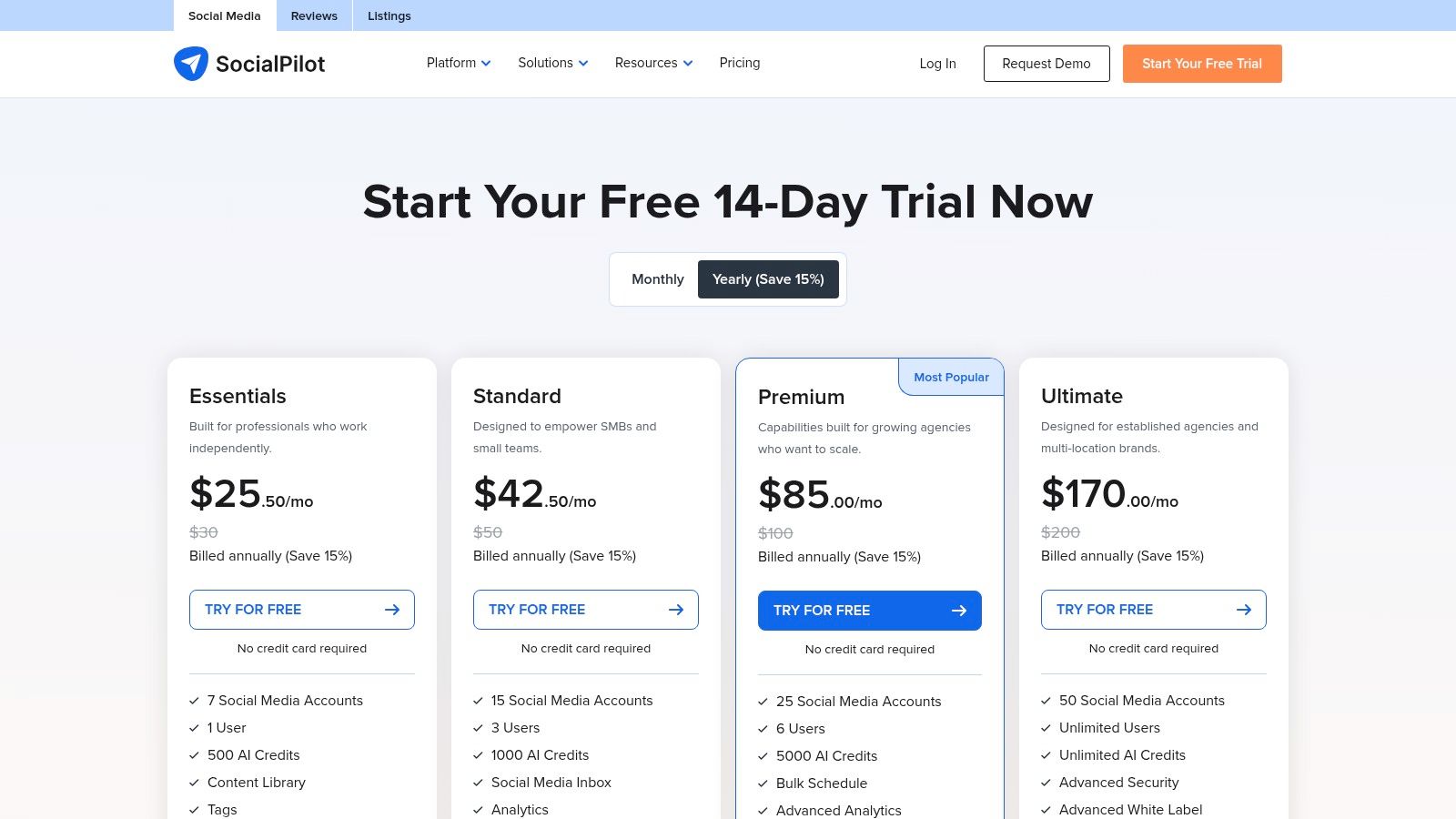
The platform’s agency-centric features are its main differentiator. Client management is streamlined with dedicated approval workflows, allowing clients to review and approve posts before they go live directly from the platform. SocialPilot also offers white-label reporting, enabling agencies to brand PDF reports with their own logo, which adds a professional touch to client communication and helps reinforce brand identity.
Key Features & Agency Use Cases
- Bulk Scheduling & Calendar: Agencies can upload and schedule up to 500 posts at once using a CSV file, saving significant time when managing multiple client content calendars.
- Client Management & Approvals: Onboard clients with secure, read-only access to their content calendars. They can view, comment on, and approve scheduled posts, ensuring transparency and reducing back-and-forth emails.
- White-Label PDF Reports: Generate and customize analytics reports with your agency’s branding to deliver professional-looking performance updates to clients.
- Team Collaboration: Assign roles and permissions to team members for specific client accounts, ensuring account managers only access the profiles they are responsible for.
Pricing and Limitations
SocialPilot's pricing is highly competitive. The Professional plan starts at $29.75 per month for 10 social accounts and 1 user. The Agency plan, at $99.99 per month, supports 50 accounts and 5 users, offering exceptional value. However, the user interface feels less modern than competitors like Sprout Social, and some advanced analytics features are reserved for the highest-tier plans.
Visit SocialPilot
7. Buffer
Buffer is a well-established social media management tool that stands out for its simplicity and transparent, channel-based pricing. For agencies, this model offers unmatched flexibility, allowing them to scale services up or down for each client without being locked into expensive, user-heavy tiers. It provides a clean, intuitive interface for planning, scheduling, and analyzing content, making it an excellent choice for agencies that prioritize straightforward workflows and predictable billing.
The platform streamlines core social media tasks, from drafting posts with its AI Assistant to managing audience interactions in a unified inbox. Its strength lies in its low learning curve, which allows agency teams to onboard new clients and team members quickly. While it may not offer the deep listening or enterprise-level analytics of more complex platforms, it excels at providing the essential tools agencies need for effective day-to-day management and client reporting.
Key Features & Agency Use Cases
- Pay-Per-Channel Pricing: Agencies can purchase channels à la carte and bundle them as needed, easily passing costs directly to clients. Volume discounts apply as more channels are added, making it cost-effective at scale.
- Publishing & AI Assistant: The content calendar and scheduling tools are user-friendly. The built-in AI assistant helps generate post ideas, rewrite copy, and brainstorm, which is ideal for managing multiple client content pipelines.
- Team Collaboration: Agency plans include unlimited users, custom access levels, and draft approval workflows. This ensures junior account managers can create content that senior staff must approve before it goes live for a client.
- Engagement & Analytics: A centralized inbox gathers comments and messages from major platforms, while the analytics dashboard offers clear, shareable reports on post performance and audience growth.
Pricing and Limitations
Buffer's Team plan starts at $12 per month per channel, with pricing dropping to $10 per channel for 10 or more channels. The Agency plan, at $120 per month, includes 10 channels and all team collaboration features. A key limitation is its lighter analytics and reporting capabilities compared to enterprise-level tools. Additionally, some features, like the Buffer "Start Page," count toward your channel limit, which can be an unexpected cost if not planned for.
Visit Buffer
8. Later (Later Social)
Later has carved out a niche as the go-to visual-first social media management tool, making it ideal for agencies managing clients on Instagram, TikTok, and Pinterest. Its core strength is the Visual Planner, a drag-and-drop calendar that lets you see exactly how a client's feed will look before posts go live. This focus on aesthetics and planning makes it a favorite for brands in e-commerce, lifestyle, and design.
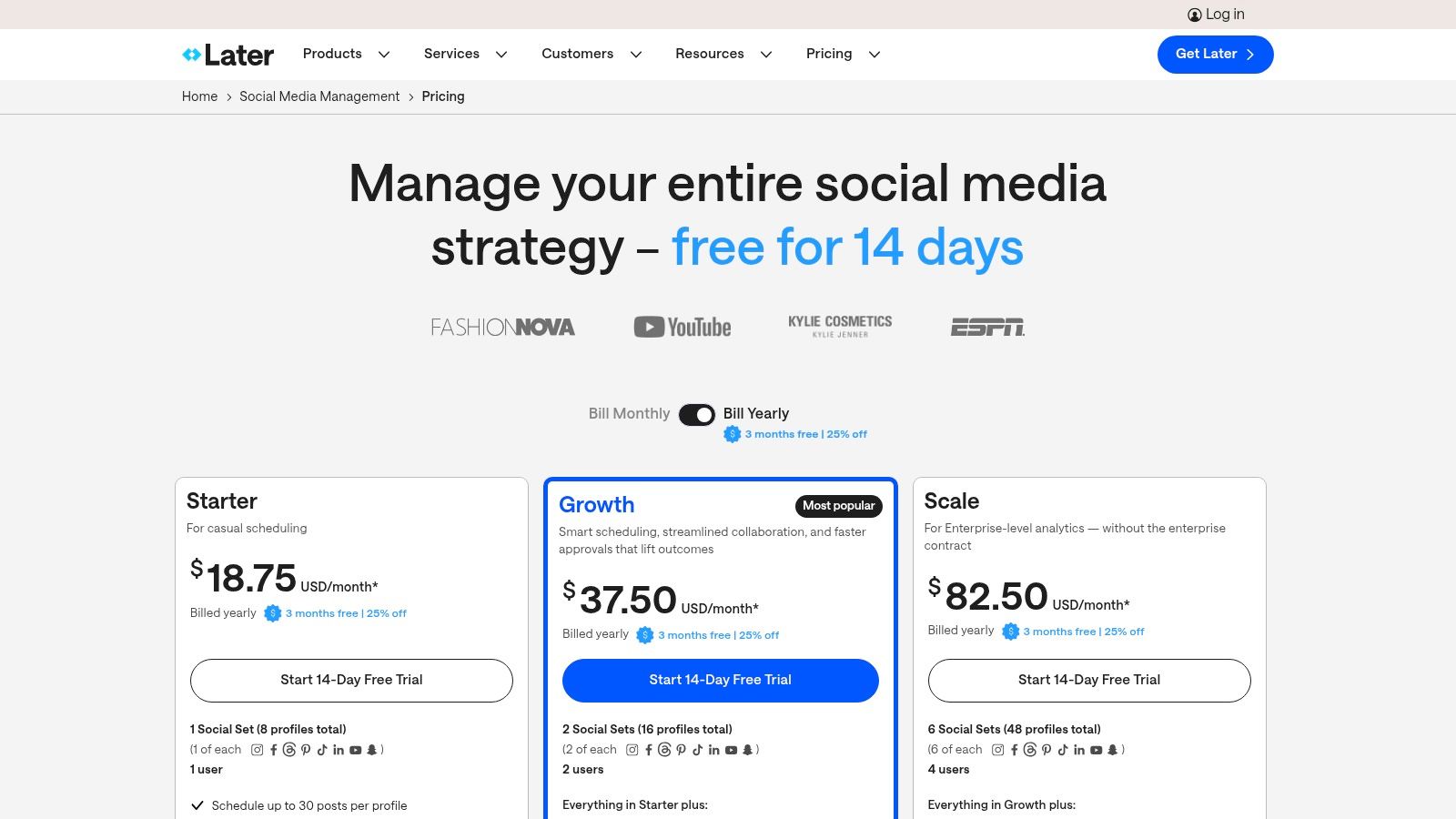
The platform simplifies the content pipeline for visually-driven platforms. Agencies can manage media libraries for each client, collaborate on captions, and schedule content with auto-publishing capabilities for Instagram Reels, TikToks, and YouTube Shorts. The built-in Linkin.bio tool turns a single bio link into a clickable, shoppable landing page, which is invaluable for driving traffic and sales for e-commerce clients.
Key Features & Agency Use Cases
- Visual Planner: Arrange client content visually to perfect their grid aesthetic. This is a powerful feature for presenting content plans to clients for approval.
- Content Creation & Scheduling: Use the AI Caption Writer for quick inspiration and schedule posts with the "Best Time to Post" feature to maximize reach across platforms.
- Linkin.bio: Create a monetizable landing page from your Instagram and TikTok bios, tagging posts with specific product links to track clicks and sales.
- Collaboration Tools: On higher-tier plans, agency team members can leave notes on scheduled posts and invite clients to approve content directly within Later, streamlining the review process.
Pricing and Limitations
Later offers a free-forever plan with limitations, while paid plans start at $25 per month (Starter) and go up to $80 per month (Growth) for one "Social Set". Agency plans with more users and social sets are available via custom pricing. A significant limitation is that core agency features like content approvals and advanced analytics are restricted to the more expensive plans.
Given Later's strong focus on Instagram, agencies using this tool can enhance their strategy by understanding how to create Instagram Reels effectively to get the most out of the platform.
Visit Later
9. Planable
Planable is a social media management tool designed specifically for agencies and teams that prioritize collaboration and client approvals. Its core strength is a visual, shareable content calendar that streamlines the feedback and approval process, eliminating messy email chains and spreadsheets. This "what you see is what you get" editor allows clients and stakeholders to view posts exactly as they will appear live, making feedback direct and clear.
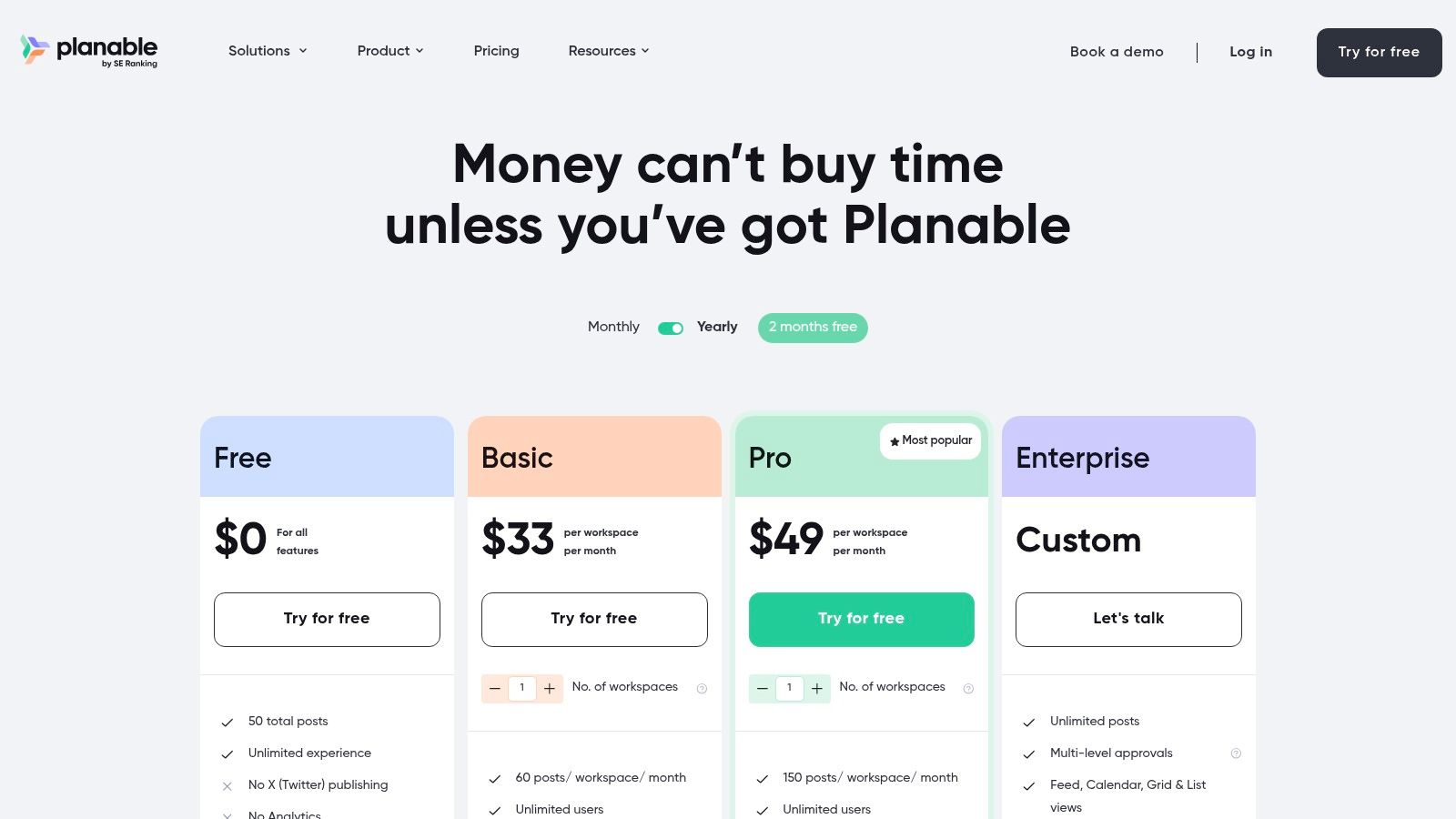
The platform's standout feature for agencies is its unlimited user model within each workspace. This means you can add clients, copywriters, designers, and managers without incurring extra per-seat costs, a significant advantage for growing teams. The entire workflow is built around getting content approved quickly, making it one of the best social media management tools for agencies focused on high-volume content production and client service.
Key Features & Agency Use Cases
- Visual Content Calendar: Present content to clients in multiple views (feed, calendar, grid, list) so they can visualize the entire content strategy at a glance and leave comments directly on mock-ups.
- Approval Workflows: Implement multi-level approvals (optional or required) to ensure content passes through the right hands, from the internal team to the final client sign-off.
- Unlimited Users: Create dedicated workspaces for each client and invite their entire team to collaborate without worrying about additional user fees, fostering transparency and partnership.
- Centralized Asset Library: Store all client media and brand assets within Planable's Media Library, ensuring every team member uses the correct, approved creative assets.
Pricing and Limitations
Planable offers a free plan with limited posts. Paid plans start with the Basic plan at $11 per user, per month (billed annually). The Pro plan is $22 per user, per month. A key consideration is that analytics and engagement features (like the social inbox) are paid add-ons for lower-tier plans. While the collaboration features are best-in-class, agencies needing deep, built-in analytics from the start will need to opt for a higher-tier plan or an add-on.
Visit Planable
10. HeyOrca
HeyOrca is a social media management tool built from the ground up with agencies in mind. Its core strength is streamlining the content approval process, making it one of the most efficient platforms for managing client collaboration. The pricing model, based on calendars rather than users, allows agencies to give their entire team and all client stakeholders access without incurring per-seat charges.
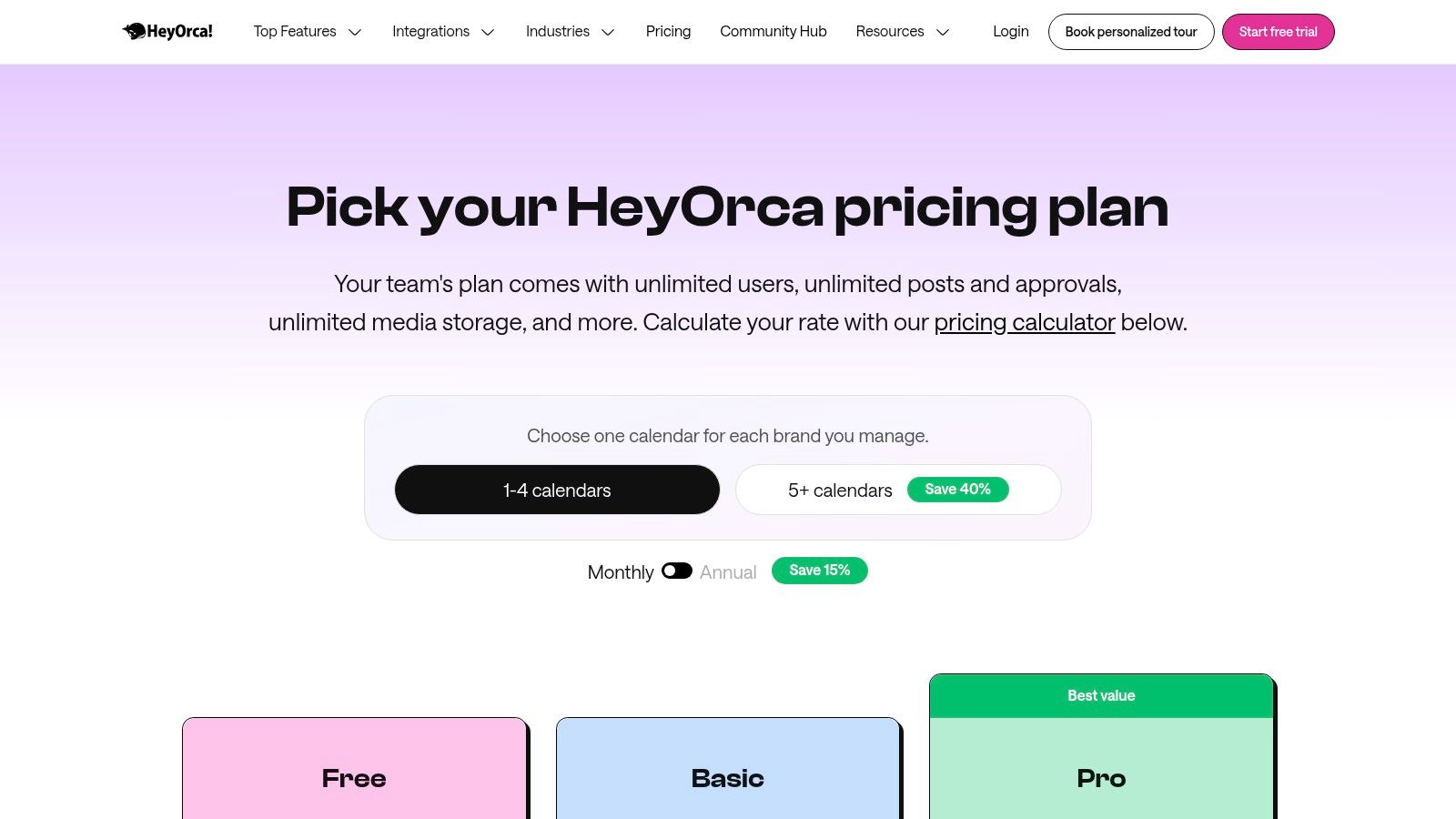
The platform’s standout feature is its shareable, interactive content calendars. Agencies can send clients a unique link where they can view, comment on, and approve scheduled posts directly on the calendar mockups. This eliminates messy email chains and confusing spreadsheets, creating a single source of truth for all content. This friction-free approval system is a game-changer for agencies that juggle numerous client feedback loops.
Key Features & Agency Use Cases
- Unlimited Users & Calendars: The per-calendar pricing model means you can add unlimited team members and clients without increasing costs, making it highly scalable for growing agencies.
- Client Approval Workflows: Share live, interactive mockups of social media posts. Clients can leave feedback or approve content with a single click, and all activity is tracked.
- Visual Content Calendar: Plan and visualize content strategies for each client in separate, dedicated calendars. Features include post-it notes for ideas and a media library.
- Direct Publishing: Supports direct publishing to major platforms including Instagram (Reels, Carousels), Facebook, X (formerly Twitter), LinkedIn, TikTok, and Google Business Profile.
Pricing and Limitations
HeyOrca’s pricing starts with the Basic plan at $59 per calendar per month. The Standard plan, which includes features like report generation, is $99 per calendar per month. While the unlimited user model is a significant advantage, the per-calendar cost can become expensive for agencies managing dozens of smaller clients. Essential features like the social inbox and advanced analytics are reserved for the Pro plan at $149 per calendar per month.
For teams managing video-heavy platforms, learning how to manage multiple TikTok accounts is a great next step to maximize your agency's efficiency.
Visit HeyOrca
11. Kontentino
Kontentino is a social media management tool designed with the agency-client approval workflow at its core. It excels at streamlining the content creation, feedback, and scheduling process, making it ideal for agencies that manage multiple client stakeholders. Its platform balances robust collaboration features with practical AI assistance, simplifying everything from ideation to final sign-off in a clean, user-friendly interface.
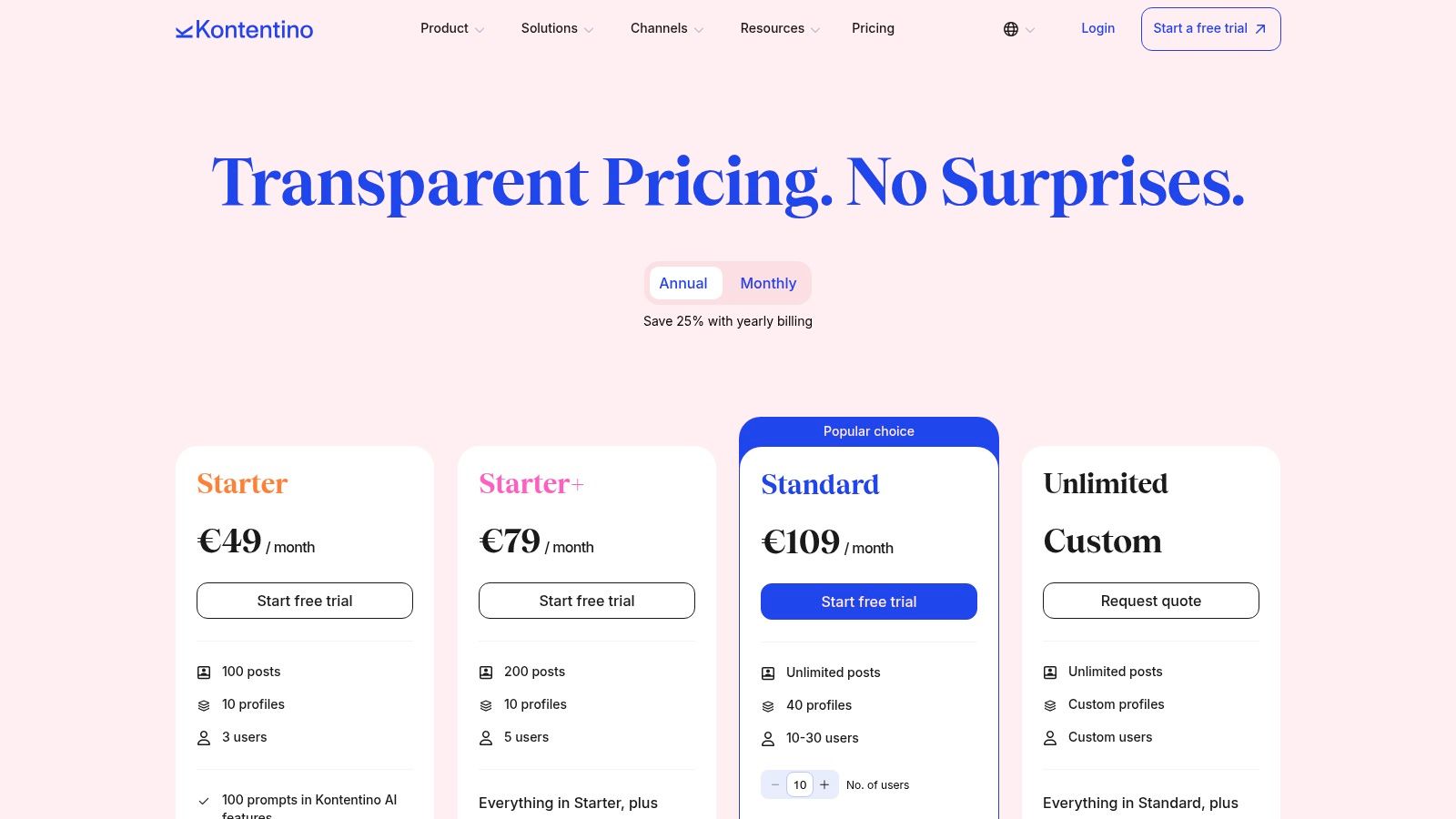
For agencies, the biggest advantage is the transparent and efficient approval process. You can share interactive post previews with clients via a simple link, where they can leave comments, approve, or reject content directly. This minimizes endless email chains and miscommunication. The platform’s generous profile and post limits on its mid-tier plans also provide excellent value, allowing agencies to scale without facing immediate, prohibitive cost increases.
Key Features & Agency Use Cases
- Client Approval Workflow: Generate shareable links for clients to review and approve content. All feedback is stored directly on the post, creating a clear audit trail.
- AI Assistant & Inspirations: Use AI to generate post ideas, write captions, or find relevant hashtags. The "Inspirations" feature pulls in trending holidays and events to spark timely content.
- Drag-and-Drop Calendar: Easily manage multiple client calendars with bulk actions like scheduling, copying, and approving multiple posts at once to save significant time.
- Content Organization: Use labels and albums to categorize posts by campaign, content pillar, or client, keeping your content strategy organized and easy to navigate.
Pricing and Limitations
Kontentino offers transparent pricing, starting with the Standard plan at $71 per month for 3 users and 10 social profiles. The Pro plan at $134 per month is well-suited for growing agencies, offering more users and profiles. While core functionality is strong, key features like analytics and a global content manager are available only as paid add-ons. The Starter plan's post and profile limits may also be restrictive for some.
Visit Kontentino
12. Zoho Social (Agency Plans)
Zoho Social is a highly practical and affordable option for agencies already embedded in the Zoho ecosystem or those seeking a cost-effective way to manage a growing client roster. Its dedicated Agency plans are designed specifically for multi-brand management, providing a unified dashboard to handle publishing, monitoring, and reporting without the enterprise-level price tag. The platform’s key differentiator is its seamless integration with other Zoho products like CRM and Desk, creating a powerful, interconnected business operating system.
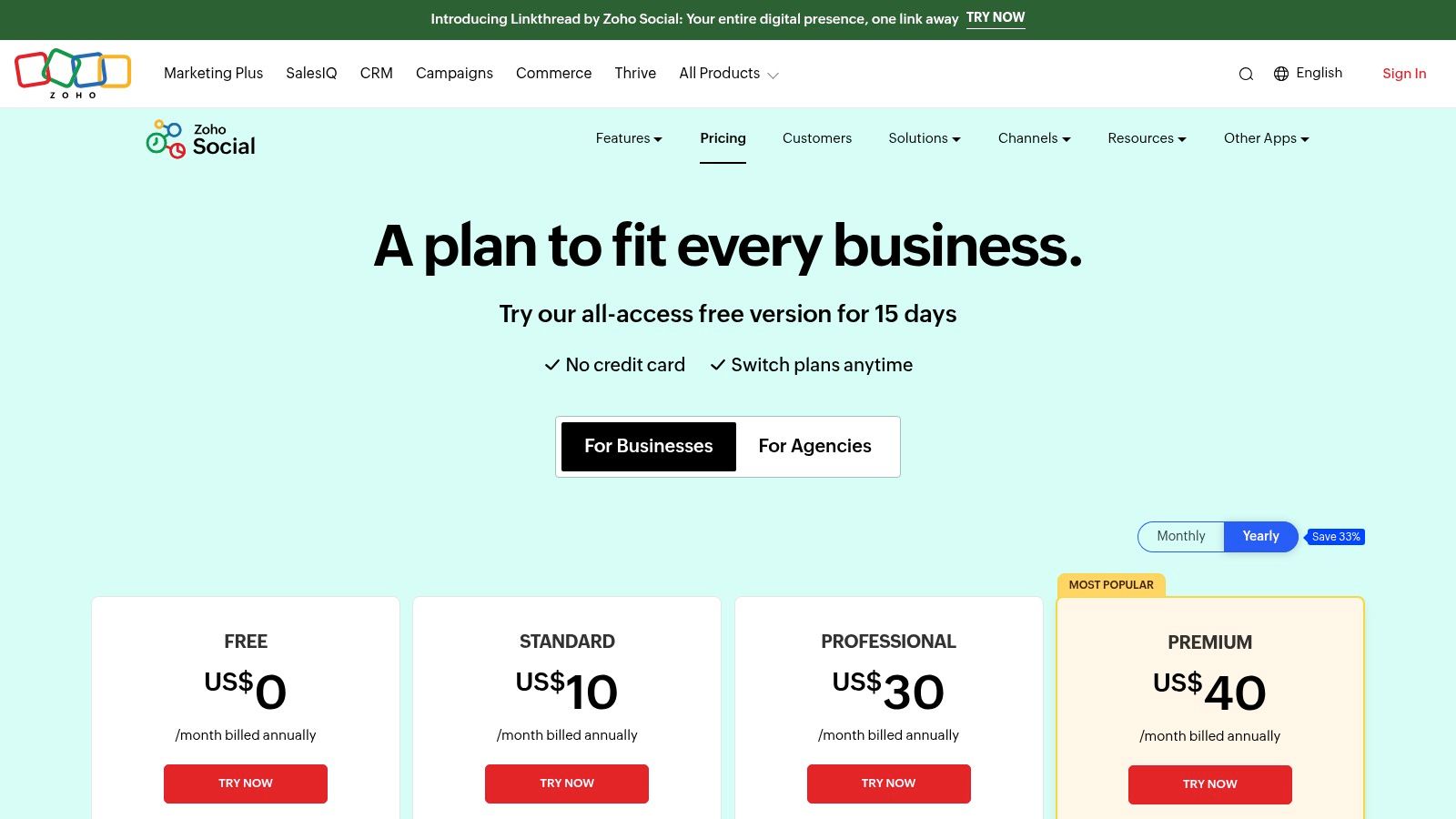
For agencies, the client management features are a significant draw. You can invite clients to a custom-branded portal with free logins, allowing them to view reports or approve content directly. This collaborative loop streamlines the approval process and enhances client transparency. While its interface may not have the same level of polish as some premium competitors, its functional, all-in-one approach to social media management for agencies delivers exceptional value.
Key Features & Agency Use Cases
- Multi-Brand Management: The Agency plans support 10-20 brands from a single dashboard, making it easy to scale your client services without a proportional increase in cost.
- Agency-Branded Client Portals: Invite clients to review draft posts and access performance reports in a portal featuring your agency’s branding, reinforcing your professional image.
- Zoho Ecosystem Integration: Connect Zoho Social with Zoho CRM to track social leads or with Zoho Desk to manage customer service inquiries from social media.
- Collaboration & Approvals: Assign roles and create custom approval workflows for team members and clients, ensuring all content is vetted before going live.
Pricing and Limitations
Zoho Social's agency pricing is extremely competitive, starting at $230 per month for 10 brands. While this offers immense value, the user interface and feature depth can feel less sophisticated than higher-priced tools. Additionally, some advanced features might vary based on your account's data center region, which is a detail worth confirming during setup.
Visit Zoho Social
12-Tool Comparison: Social Media Management for Agencies
| Product | Core features | Quality (★) | Value / Price (💰) | Target audience (👥) | Unique strengths (✨) |
|---|---|---|---|---|---|
| Viral.new 🏆 | AI daily TikTok idea engine; inbox delivery; niche-tailored, ready-to-shoot prompts | ★★★★★ 4.9/5 | 💰 Subscription — pricing via sign‑up | 👥 Solo creators, small teams, DTC brands, agencies | ✨ Daily trend-aligned concepts focused on watch-time & conversion |
| Sprout Social | Publishing, engagement, listening, deep analytics, AI Assist | ★★★★ | 💰 High — per-seat / enterprise | 👥 Agencies, enterprises | ✨ Robust reporting & multi-brand scaling |
| Hootsuite | Scheduling, multi-platform inbox, team permissions, listening | ★★★★ | 💰 Mid–High — multi-user plans | 👥 Agencies, marketing teams | ✨ Mature ecosystem; strong team controls |
| Agorapulse | Queues & bulk publishing, inbox rules, shared calendars, white-label reports | ★★★★ | 💰 Mid — agency add-ons | 👥 Agencies managing clients | ✨ Client approvals and white‑label reporting |
| Sendible | Client dashboards, collaboration, automated reports, direct posting (incl. TikTok) | ★★★★ | 💰 Mid — competitive for agencies | 👥 Agencies needing client portals | ✨ White-label add-on; direct network posting |
| SocialPilot | Bulk scheduling, analytics, client approvals, white-label reporting | ★★★ | 💰 Low–Mid — cost‑effective at scale | 👥 Agencies with many profiles | ✨ High profile/user allowances for price |
| Buffer | Per-channel pricing, AI assistant, publishing, analytics | ★★★★ | 💰 Mid — transparent per-channel billing | 👥 Agencies & SMBs wanting predictable billing | ✨ Simple UX and predictable billing model |
| Later | Visual planner, auto-publish, AI captions, link‑in‑bio | ★★★★ | 💰 Mid — visual-first tiers | 👥 Visual brands, creators, influencers | ✨ Visual-first workflow tuned for short-form content |
| Planable | Shareable multi-view calendar, approvals, unlimited users per workspace | ★★★★ | 💰 Mid — workspace pricing + add-ons | 👥 Agencies needing fast client feedback | ✨ Unlimited users + fast approval UX |
| HeyOrca | Calendar-based scheduling, shareable client views, approvals, analytics | ★★★ | 💰 Mid — per-calendar pricing | 👥 Agencies packaging per-client | ✨ Per-client calendar pricing; unlimited users |
| Kontentino | Drag-and-drop calendar, AI ideation, bulk actions, optional analytics add-ons | ★★★★ | 💰 Mid — clear agency tiers | 👥 Mid-market agencies | ✨ AI inspirations + agency-friendly pricing |
| Zoho Social | Multi-brand management, client portals, Zoho integrations, publishing & analytics | ★★★ | 💰 Low–Mid — very competitive multi-brand | 👥 Agencies using Zoho ecosystem | ✨ Affordable multi-brand management + ecosystem integrations |
Final Thoughts
Navigating the crowded market of social media management tools for agencies can feel like an overwhelming task. With each platform promising to be the ultimate solution, the real challenge lies in cutting through the noise to find the tool that aligns perfectly with your agency's unique structure, client roster, and strategic goals. This guide was designed to move beyond surface-level feature lists, providing a detailed, agency-centric analysis of top contenders like Sprout Social, Agorapulse, and Sendible, and introducing specialized platforms like Viral.new that address the evolving demands of short-form video.
The core takeaway is that there is no single "best" tool; there is only the best tool for your agency. The ideal platform is one that streamlines your most time-consuming tasks, enhances collaboration between your team and clients, and delivers insightful, easy-to-digest reports that prove your value. The decision-making process is a strategic one, requiring a clear understanding of your internal workflows and client expectations.
Key Takeaways for Your Agency
Reflecting on the detailed comparisons, several critical themes emerge. Client collaboration and approval workflows are non-negotiable. Tools like HeyOrca and Planable have built their entire platforms around this concept, offering a frictionless experience that can significantly reduce revision cycles. For agencies managing a high volume of accounts, the scalability and pricing models of tools like SocialPilot and Sendible offer compelling value without sacrificing core functionalities.
Furthermore, the importance of robust reporting and analytics cannot be overstated. Comprehensive platforms like Sprout Social and Agorapulse excel here, providing the deep data needed to demonstrate ROI and inform future strategy. However, don't overlook the specialized analytics offered by platforms focused on specific networks, which can provide granular insights that broader tools might miss, especially for content on TikTok and Instagram Reels.
Your Actionable Next Steps
Armed with this information, your path forward should be methodical. Avoid making a snap decision based on a single feature. Instead, follow a structured evaluation process to ensure you select one of the best social media management tools for agencies that truly fits your needs.
- Audit Your Current Workflow: Identify your biggest bottlenecks. Is it content approvals? Is it generating monthly reports? Is it scheduling content across dozens of profiles? Pinpoint the exact problems you need a new tool to solve.
- Shortlist 2-3 Contenders: Based on your audit, select a few tools from this list that seem to be the best fit. For instance, if your primary pain point is client approvals, your shortlist might include Planable and HeyOrca. If it's all-in-one power and analytics, you might compare Sprout Social and Agorapulse.
- Run Rigorous Trials: Sign up for free trials and use them with real client work. Don't just test the scheduler. Set up a full client profile, build a content calendar, invite a team member for collaboration, and generate a sample report. This is the only way to get a true feel for the platform's user experience and limitations.
- Involve Your Team: The tool is for your social media managers, strategists, and account executives. Get their feedback during the trial period. A tool that leadership loves but the team finds clunky will ultimately hinder, not help, productivity.
Choosing the right social media management tool is a foundational decision that impacts your agency's efficiency, client satisfaction, and overall profitability. By investing the time to make an informed choice, you are not just buying software; you are building a more streamlined, scalable, and successful future for your agency.
As you evaluate your options, consider how a specialized tool can complement your primary management platform. Viral.new is designed specifically for agencies and creators who need to master short-form video, providing AI-powered content ideas, scheduling, and analytics for TikTok and Reels. Discover how to streamline your video workflow and deliver exceptional results for your clients by visiting Viral.new today.
